
.png)
2025 was a busy year for you all:
- 2,555,314 text items created
- 149,100 edits saved
- 5,575 new Ditto projects created
- 5,955 AI-powered Magic Edits
- 11.25 million API fetches
That's a lot of product copy.
Meanwhile, over here at Ditto, we've been busy too:
- 1,740 (and counting!) code releases
- 144 user research sessions
- Too-many-to-count calls with you, the community
2025 was a year of rebuilding, transforming, and (most importantly) setting a foundation for an even bigger 2026.
But before we get to that, let’s look back at what 2025 brought to you, our users:
AI-powered consistency
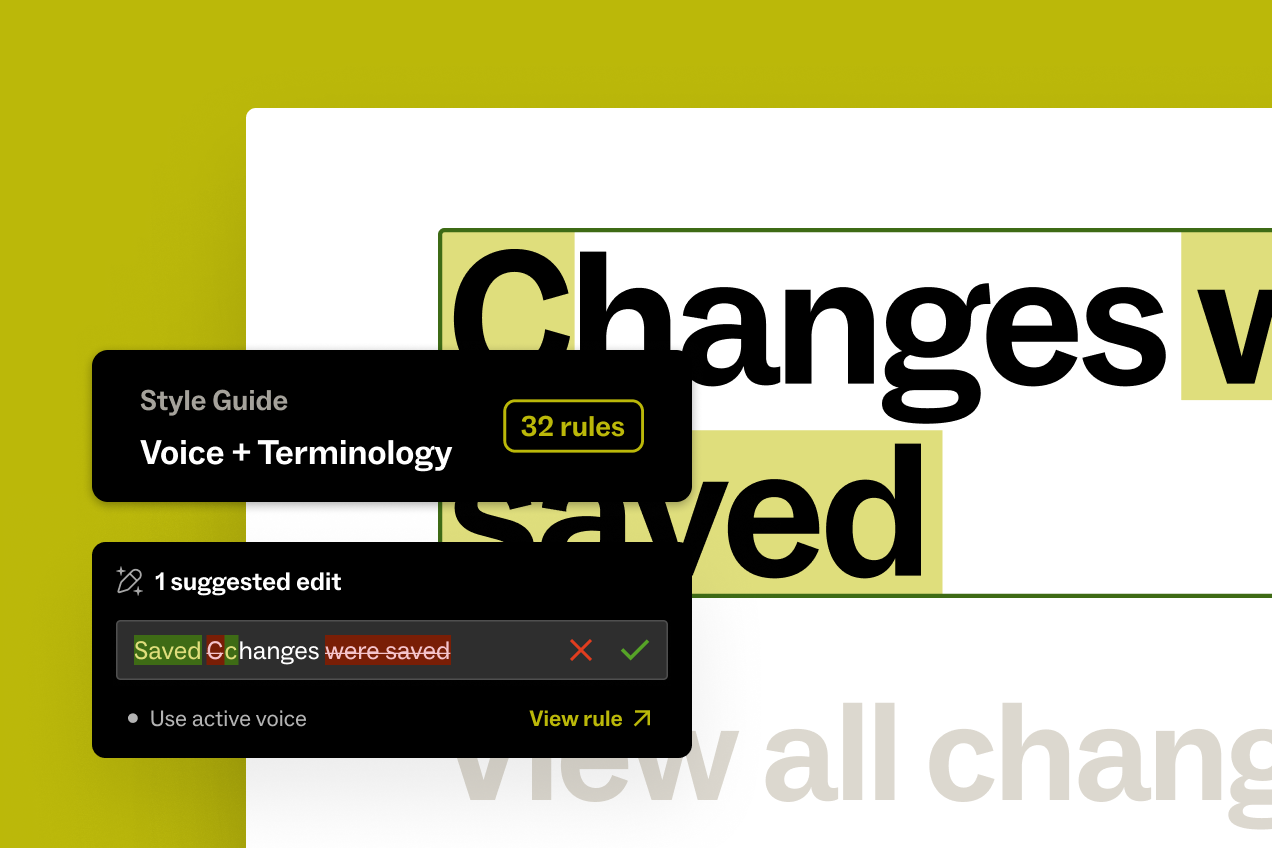
This year brought you new AI tools to enforce consistent, on-brand product copy.
Build your custom style guide rules right in Ditto, and provide examples to train your AI model.
Then, use Ditto’s Magic Edit to enforce those rules and surface edits as your team writes.
Ditto will automatically suggest edits based on the style guide you build, to give your team copy suggestions right in context. Drive consistency and feel confident in the copy your entire team creates, with your own magic editor working alongside you.
Read about how to build your own AI Content System in Ditto →
Ditto 2.0: Reimagining the way we manage product text
Our Ditto 2.0 release changed the way Ditto treats individual pieces of text and how you manage it.
Previously, every text layer in a Figma file = one piece of text in Ditto. But this didn’t actually systemize the text; it just put it into a new view. Teams were left with a long list of words, but struggled to act on them.
Ditto 2.0 makes it simpler to organize and link repeated text within a single project, so even if it shows up 50 times in your Figma file, it’s managed as one text item in Ditto. Link repeated text layers in a Ditto project, to avoid rework and maintain consistent copy across design screens, with just one click.
Then, if you want to reuse that copy more widely across projects, you can publish text as a component in your Ditto library. This makes it easy to save and reuse important copy like product names, legal disclaimers, error messages, and more.
As a part of the product rebuild, we also rebuilt Ditto’s data management, real-time sync engine, and design system. Work in Ditto is now smoother, more comprehensive, and lightning-fast.
Read about all the feature changes of Ditto 2.0 →
.png)
Removing the import bottleneck
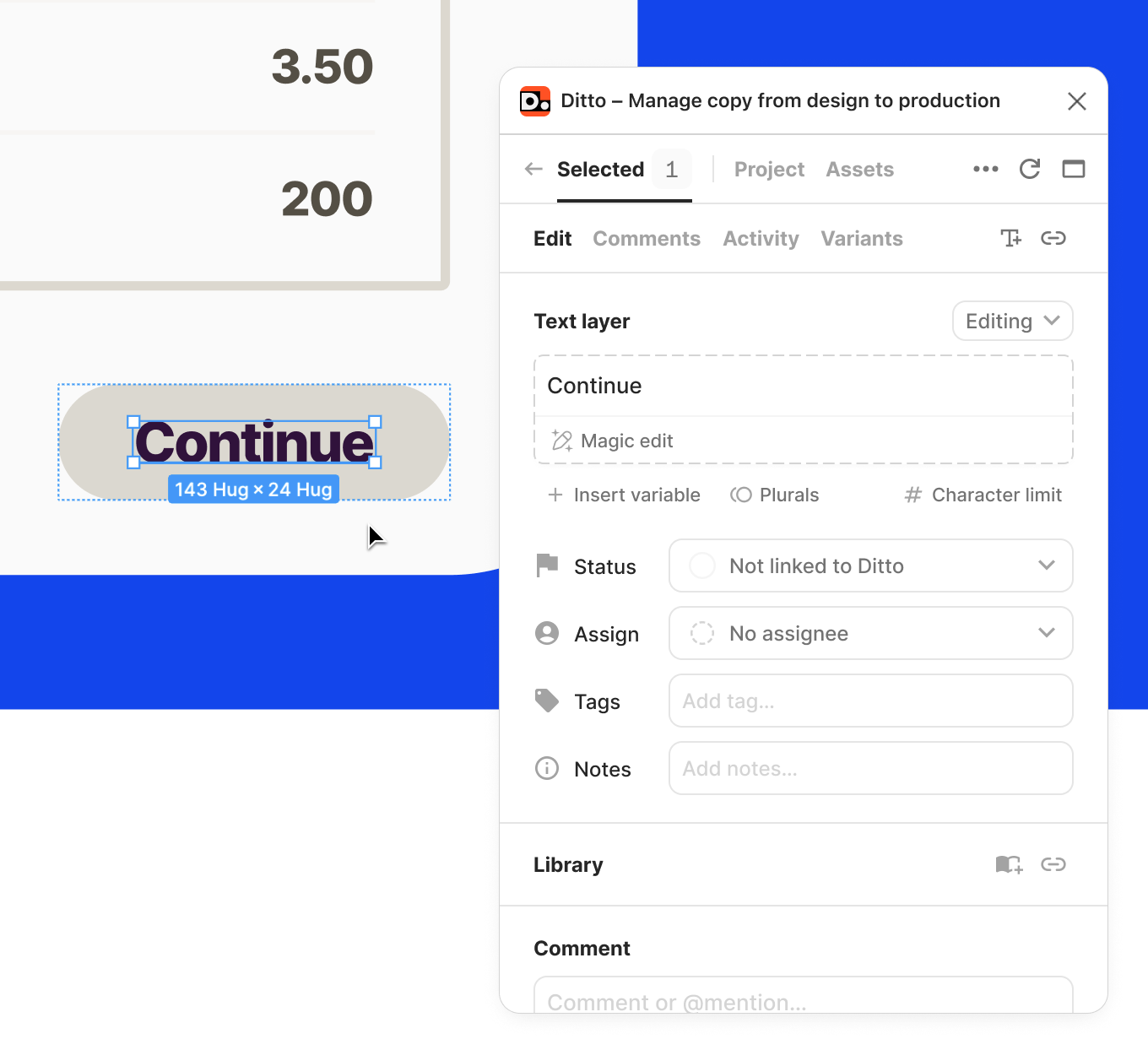
Get to work faster, without worrying about building out the perfect Ditto project first. Now, you have access to all of the functionality in Ditto (status, commenting, AI-enforced suggestions from your style guide)—without needing to import text or create blocks first.
Ditto’s plugin will show all text layers in your selection. If a text layer isn't linked to Ditto, it’ll show up with a dashed outline. Once you take action on a text layer with the plugin (whether by editing the text, leaving a comment, setting a status, etc.), Ditto will handle the import for you by automatically creating a new text item in the Ditto project and linking the text layer to it.
Read about your streamlined project setup process →
New Design View
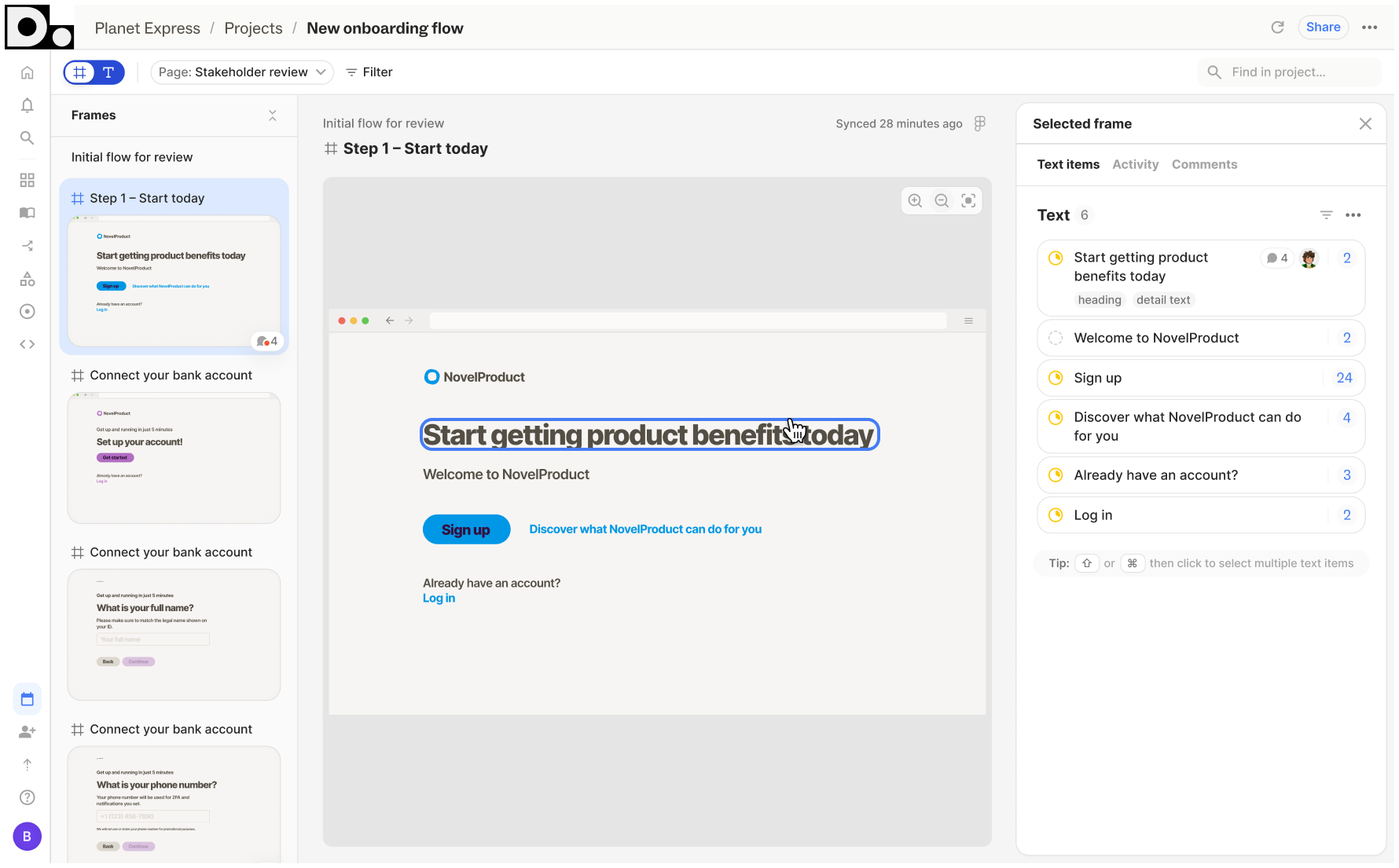
Collaborate alongside design, without stepping on toes, with Ditto’s improved design views. Add frames to Ditto from the plugin with one click, so anyone in the project can view and work from it in the web app. Select the designs you want to collaborate on—whether a single frame, an entire section, or a full page—and bring them into Ditto.
The web app’s improved Design View also makes it easier to take action on the designs you’ve added. Zoom in/out on designs, pan through frames, or scroll through every frame in one grid view, all from Ditto’s web app. Take action on the copy in these frames (edit, suggest changes, assign owners, set statuses), whether the copy has already been added to Ditto or not. Work through a full flow or just do a quick review pass, all from Ditto’s Design View.
Learn more about how Ditto makes design collaboration easier →
Improved collaboration: New notifications hub & commenting experience
We’ve rebuilt your collaboration experience in Ditto to make managing a team of stakeholders feel seamless, with the same always-on activity log to keep track of changes.
Your new in-product notifications hub lets you filter and sort your notifications, contextualize new comments in full threads, and work through all open tasks from one view.
We’ve also made conversations much easier in Ditto, with improved usability and actionability of comments. This includes: read/unread indicators, clearer visibility of unread comments, and improved filtering.
Never miss a message, with email alerts for @-mentions, replies, assignments, edits, and more, which link right to the conversation in your Ditto workspace. Customizable in workspace settings.
Learn how to manage product copy alongside your team →
.png)
Write and edit translations in designs
Managing translations in Ditto is easier than ever, with new tools to write and edit Variants directly in your Ditto plugin.
When you apply variant text to a frame in Figma, we’ll show both the variant text and the base text. From here, you can edit variant copy from the plugin, or toggle to “Suggesting” to recommend edits for your team.
Now, you can work on base text and variants side-by-side, from the Ditto plugin, right inside your design files. Iterate, make quick edits, and review translations in design context, all from Ditto.
Learn how to manage translations in Ditto →
Personalized tools to learn the Ditto fundamentals
We also got the chance to rebuild Ditto’s onboarding experience, to make it easier to learn the fundamentals faster. In this release, we’ve simplified workspace setup, created a new Figma playground file to try out features for yourself, and added an interactive tour to walk through the must-know features in Ditto.
Even if you’ve been around for a while, you can (and should!) get yourself a copy of the new Getting Started Playground to sharpen your Ditto skills and learn new workflows waiting for you in Ditto.
Try out Ditto’s new Getting Started Playground →
These are the big-ticket product releases from the year, but we also got to introduce you to Ditto’s new brand identity, roll out a new website, deliver so many feature enhancements, and much more. Every release, improvement, and bug fix was in close collaboration with you, our user base, and we’re looking forward to another year of delivering better product copy, together.
Also, don’t forget our most popular content pieces of 2025
- Emma Aldington, Staff Content Designer at eBay, dives into the details of content-first design and how she uses these strategies to ship better copy alongside her product team. Read the blog →
- David Hamilton, Head of Content Design at General Motors, shared an inside look into how he built and scaled a content design standards program at GM. Read the blog →
- Passare gave advice on how to invest in an intentional cross-functional review workflow to ship better copy and build a better experience for users. Read the blog →
2025 was a big year, but 2026 is shaping up to be even more exciting. Our product team is already hard at work on expanding your access to native AI functionality and streamlining translation management in Ditto (amongst much, much more).
Keep an eye on Ditto’s blog, release notes, and socials for some exciting announcements coming in January, and grab some time with our team if you want a sneak preview of what’s coming!
.png)