
Introducing Ditto Scan Audit: Get a report card for your live product copy
The wrong words reach production because no one can read every screen. Scan Audit reads them all and hands you a list of fixes.
At the pace teams build today, the wrong words make it to production more often than we’d like to admit. Maybe it’s inconsistent terminology, outdated legal language, or the occasional typo. Different people (and AI) write different screens, and each string is fine on its own. At high speed, and without a tool to keep it consistent, product copy drifts.
No one can review everything holistically, so slop copy slips through. These issues aren’t hard to fix — but they’re hard to find.
What is Ditto Scan Audit?
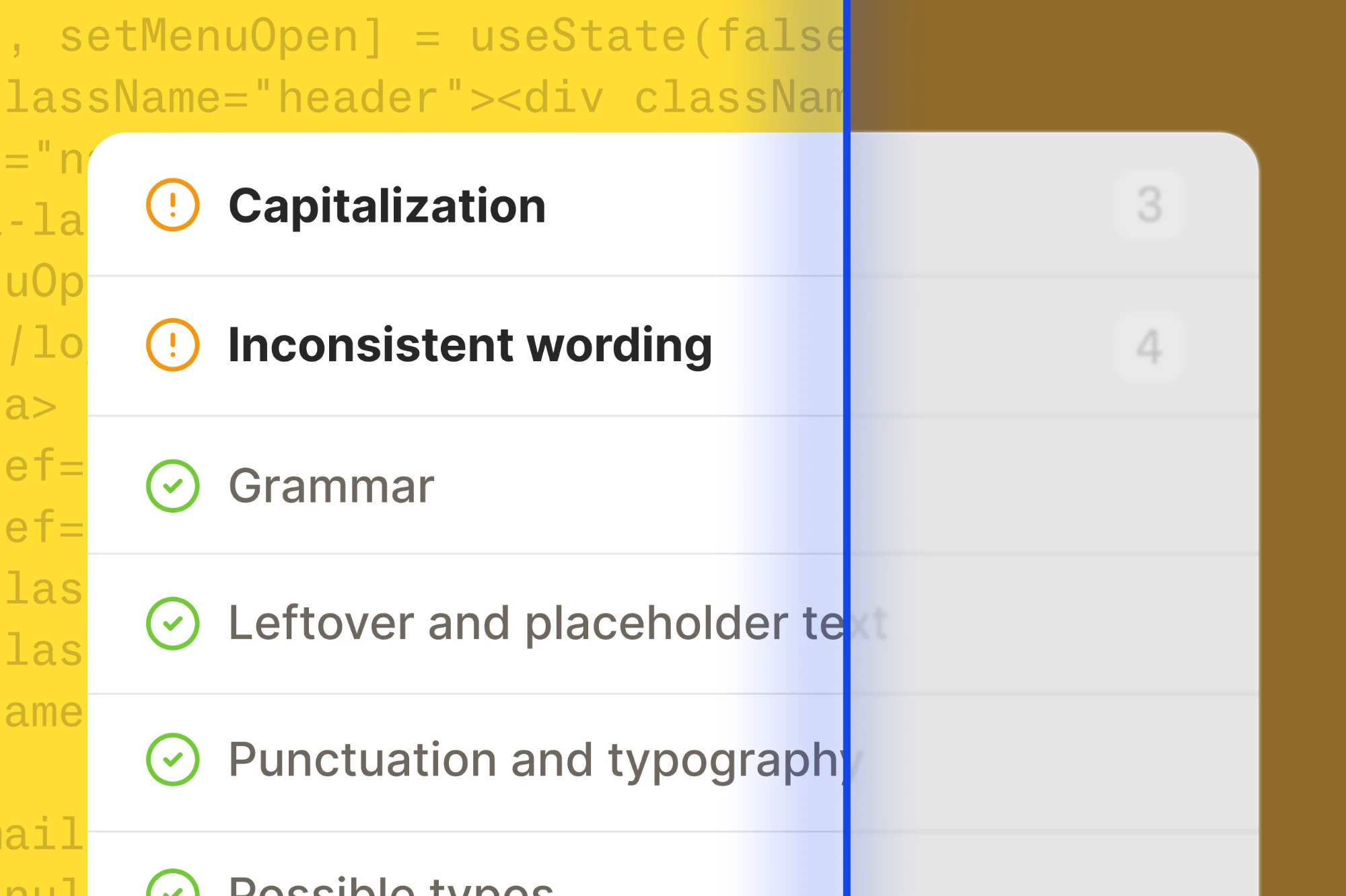
Scan Audit checks all the user-facing text in your codebase and gives you a report card of what to fix. It flags inconsistent capitalization and wording, spelling and grammar mistakes, leftover placeholder text, and more. Each finding shows the live strings involved, highlights the problem, and shows every place they appear in your code.
It builds on Ditto Scan, which we launched a few months ago to automate your workspace setup. When you set up a new Ditto workspace, one CLI command pulls all user-facing strings out of your codebase. It builds your V1 content system: folders, library components, tags, languages, and developer IDs.
To do that, Scan already has to look at every user-facing string you’ve shipped. So we gave it a second job. New workspaces now start with an audit of your live copy. In a few minutes, you have a populated Ditto workspace and a list of fixes to start on.
How do you audit your live copy with Ditto Scan?
The audit runs during workspace setup, as part of your first scan. (Already have a workspace? See below.)
1. Run the scan. In the terminal, navigate to the repository you'd like to scan, and run Ditto Scan:
npx -y @dittowords/cli@latest login
npx -y @dittowords/cli@latest scan ./src
If you’d rather have your agent do it, our docs have a prompt for Claude Code, Cursor, and Codex. Your agent checks your setup, confirms the folder with you, and runs both commands. The scan only reads your code. It won’t edit your repo.
2. Open your results. The CLI finishes with a link to your scan in Ditto. While Ditto builds your suggested content system, it checks your text.
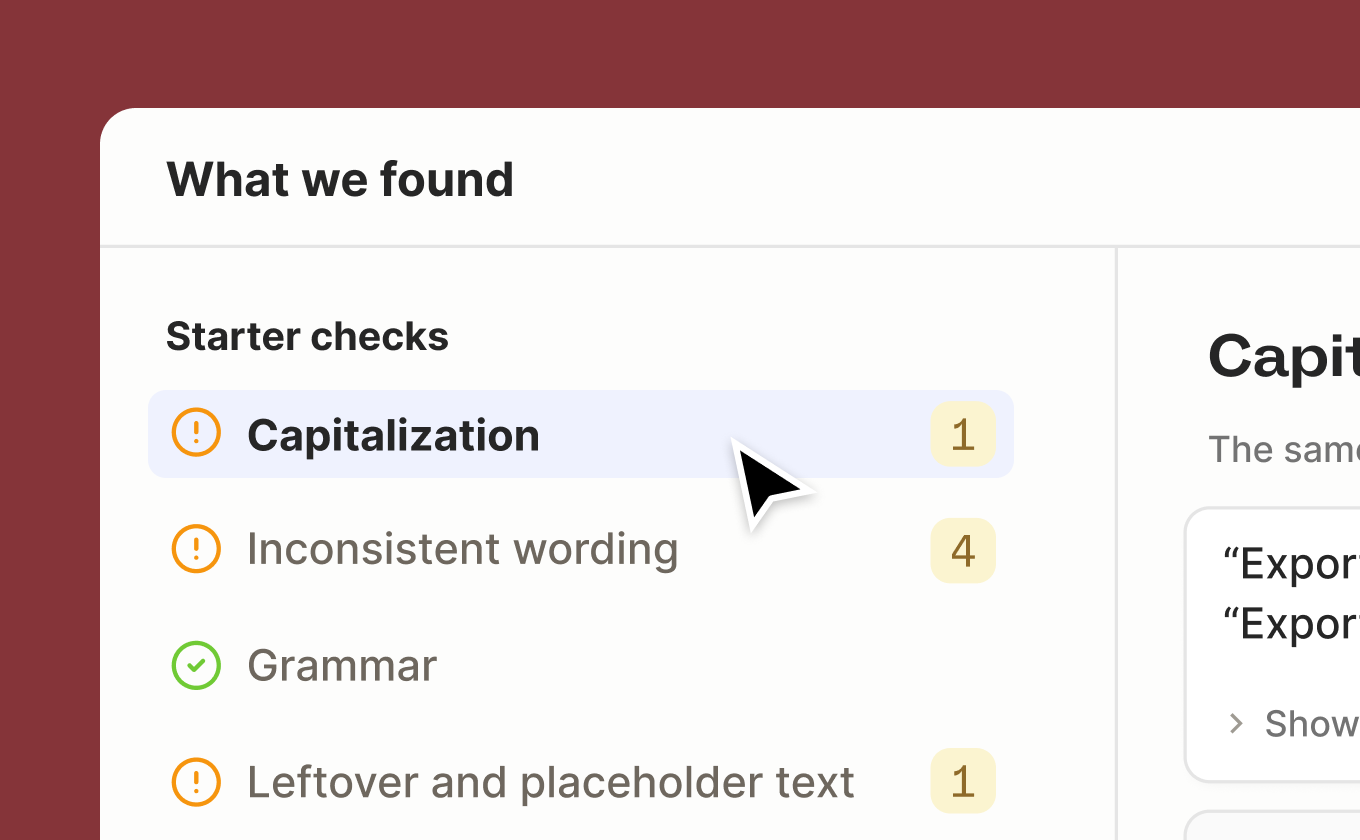
3. See what Ditto found. The review page shows a count for each of the five checks:
- Capitalization: “Sign In” in one place, “Sign in” in another
- Inconsistent wording: “Sign in” on one screen, “Log in” on the next
- Spelling and grammar: mistakes in the text your users see
- Leftover and placeholder text: developer notes, filler text, and translation keys like
checkout.button.submitshowing up in the UI - Punctuation and typography: the same text punctuated differently in similar places
Click into any check to see each finding and everywhere it appears in your code.
4. Flag what you want to fix. Flag the findings you want to fix and dismiss the ones that are fine. When a finding has more than one version, you pick which ones to flag for changes.
5. Import your strings. Once you click “done,” Ditto populates your workspace. Every piece of text you flagged during the scan starts as In Review. That way, your first round of fixes is waiting for you in Ditto.
Scan Audit gives you a first round of basic checks, flagging quick fixes. Once you’ve built out your content system in Ditto, you can run deeper, more customized audits based on your own content standards. And your system goes where your team works: in the Ditto web app, in Figma, and in your AI coding tools through the Ditto MCP.
Can you run Ditto Scan Audit on an existing workspace?
If you already use Ditto, you can still run Ditto Scan to audit all your live product copy. Follow the same steps as above (or the developer documentation).
First, you’ll see your proposed library components, translations, and other recommended metadata. New components will go into a new folder in your Ditto library. Then, you can review the report card of errors found in your live copy.
Audit your live copy in minutes
For a lot of teams, auditing what’s already live feels like too much to take on with new work piling up. But the errors and inconsistencies in a product’s copy chip away at a user’s trust.
With Ditto, you start with a list of quick wins on day one. And every copy decision after that has a system behind it, wherever your team is working.
Or, if you already use Ditto, run Ditto Scan on your repo.