How to automate copy prep for development handoff, with the Ditto MCP
See how the Ditto MCP matches your Figma copy to existing string keys and generates keys for the rest, so engineers don’t have to search the codebase.
For many teams, handing copy off to development looks something like this: an engineer opens the Figma file, copies a text box, and searches the codebase to see if that string already exists. If it does, they reuse its string key. If it doesn't, they make up a new key name and type it into their code.
Then they do it again for every text box in the flow.
It's slow, and it's easy to miss things. Miss one match and you end up with two strings saying the same thing. Nobody notices until the copy changes and someone has to find both.
The Ditto MCP lets you do this cleanup and key management before development handoff. Point an agent at your Figma file and your Ditto project, and it:
- Checks every piece of copy in Figma against your existing string keys, and links up the exact matches
- Flags near matches for review, so a small wording difference doesn't turn into a second key
- Generates human-readable development keys for anything that's net new
By the time a developer opens the file, every text layer is ready for implementation.
What you'll need
- Your production strings in Ditto. The agent can only match against what Ditto knows about. If you haven't already, use Ditto to scan your codebase and bring in your existing strings, keys, and translations.
- The Ditto MCP and Figma MCP, connected to your agent (Claude Code, Cursor, etc.).
- The Figma file for the flow you're handing off, and the Ditto project linked to it.
- The copy handoff prompt or skill, found in the setup guide. Paste in your Figma file URL and Ditto project, then run it.
See a live demo of this step-by-step workflow from Jolena Ma, Ditto co-founder:
What the agent does for you
Let's say you've just finished an onboarding redesign. It's been through iteration and review, and it's ready for development. Most of the copy is new, but maybe 20% of it already exists somewhere in your product: CTAs, form labels, the usual.
Once you start the prompt, the agent goes through the file in order:
- It scans the Figma file for every text layer in the flow.
- It compares each one to the strings already in production, using the inventory Ditto built from your codebase.
- It sorts everything into three groups for you to review:
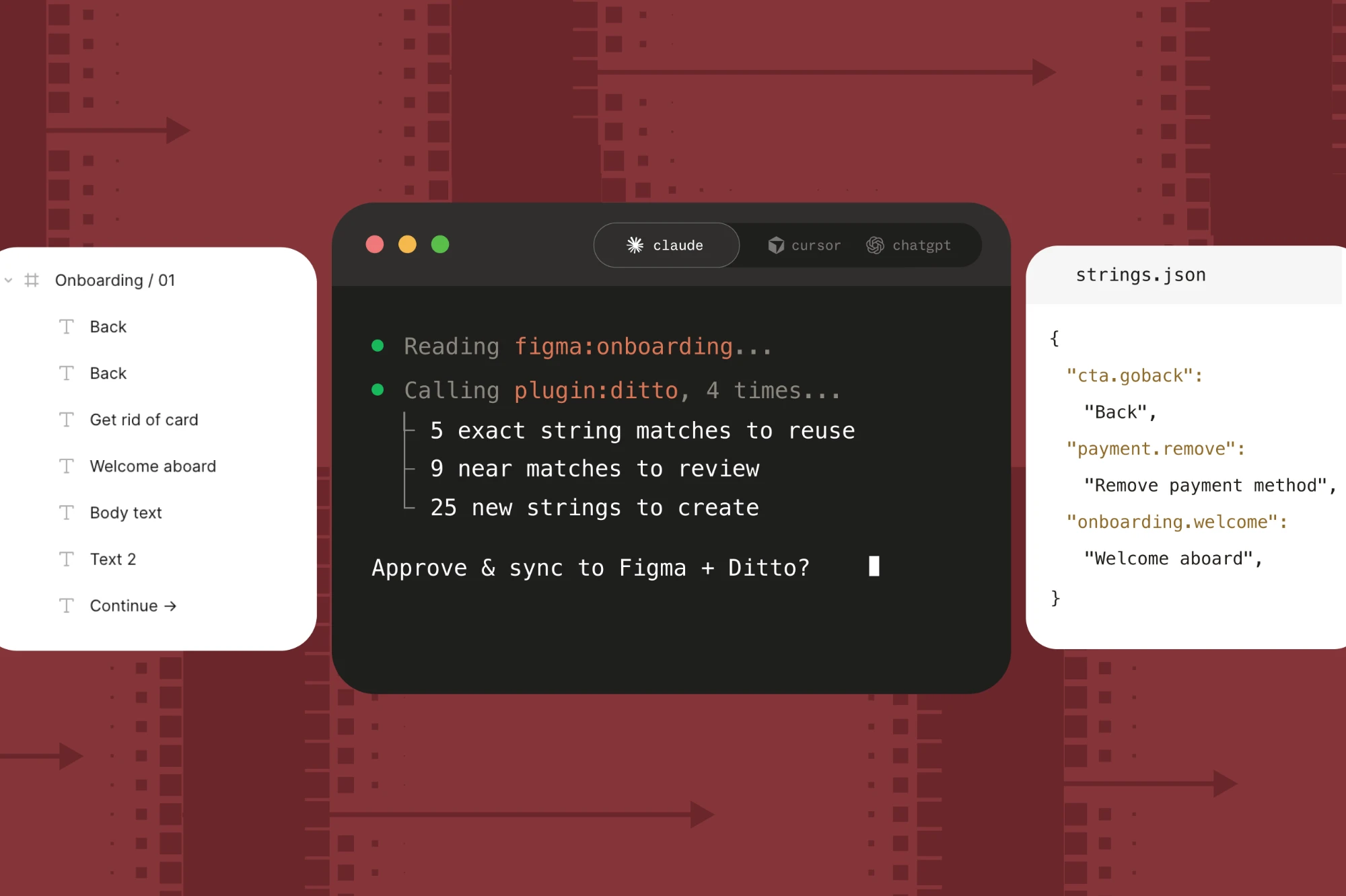
- Exact matches to reuse. For example, a "Back" CTA that maps to an existing
cta.gobackkey. If "Back" shows up eight times in your file, all eight get linked to that key, so they change together. Any translations that key already has come with it. If it's been translated into German and Canadian French before, you get those for free. - Near matches to review. Some of these are small differences, like different capitalization or an extra arrow character. Others are semantic. If your design says "Get rid of card" and production already has an approved "Remove payment method" for the same situation, the agent suggests reusing the approved string, even though the words don't match. The agent shows screenshots of the screens so you can judge each suggestion in context.
- Net-new strings to create, with human-readable keys that follow your naming convention.
- Exact matches to reuse. For example, a "Back" CTA that maps to an existing
- It asks before acting on edge cases. For example, it checks whether placeholder text in your design should come into Ditto at all.
- Once you approve, it writes everything back to both Ditto and Figma.
In Jolena’s live demo above, a single onboarding flow came back with 5 exact matches, 9 strings to review, and 25 new ones. Reviewing them took minutes. Doing the same matching by hand would have taken hours.
What lands in your file
Back in Figma, once it's done:
- Text that matched an existing string now uses the approved production copy
- Every text layer has its developer ID, either a reused key or a newly generated one that follows predefined patterns, shown right in the Figma layer name
- The Ditto plugin's activity log records every change made by an agent, so you can always see what changed and why
When a developer picks up the Figma file, they get string reuse built in and clean keys for everything new. They can copy it all straight from Figma, without searching the codebase or asking anyone what something should be called.
With the Ditto MCP doing the matching, an agent handles the low-level admin of string management. Your team handles the work that needs human discernment.
Read more about what's possible with the Ditto MCP.
Latest