Everything we’ve built to bring translation management workflows into Ditto (Feature Overview)
Everything we've built to bring localization tools to your content system. Build a single source of truth for ALL copy.
Variants have been part of Ditto for a few years. The original use case for variants was simple and deliberately broad: a variant is any alternate version of a piece of text. A different string for a different user segment, a split-test copy experiment, or a translation.
That flexibility made variants useful early on. But, over the past several months, we've been systematically building the features that turn Ditto from a tool that can handle localization into one that owns it. Because fast-moving product teams need one streamlined, integrated source of truth for all product copy, and that includes localized copy.
Here's everything we've built.
But first, the foundation
Before getting into what's new, it's worth recapping some core functionality that existed in Ditto’s variants.
Every text item in Ditto can carry multiple variant versions — each with its own text, formatting, and plural forms. Variants have their own workflow status (WIP, Review, Final), so teams can track progress on localized text separately. Assignees, notes, and character limits can be set per text item, giving translators the context they need to do their job well. Every change to a variant is captured in Ditto's activity history: when it was edited, by whom, and what changed.
These variants live right alongside base text, available to be reviewed in design context without unnecessary duplication or rework. Then, when you get to final, variants show up in your developer exports with a variantId, so engineers can pull specific locale strings without ambiguity.
The foundation has been there, and many teams have already been running simplified translation workflows in Ditto. Now, we’ve expanded the toolkit available to these teams to move faster with AI translations, build language-specific standards, and simplify variant management at scale.
What’s new to the Ditto translation management workflow
Explicit locale identity. Variants didn't know they were locales. A variant named "French" was just a named alternate — there was nothing machine-readable connecting it to fr or fr-CA. That made developer integrations fuzzier than they needed to be, and it meant Ditto couldn't do anything smart because a variant was a translation.
Workflow at scale. The existing variant experience was designed around individual text items and Figma frames. Adding a locale variant to a project meant touching every text item one by one. Reviewing translations meant navigating block by block. At any real project scale, that's untenable.
AI translation. Every team building for a global audience has to answer the same question: what writes the first draft? For most teams, the answer is a mix of internal translators, external agencies, and lately, LLM prompts in a separate tab. None of those are integrated into the review and approval workflow. They all create more handoffs.
What we built
Locale codes on variants
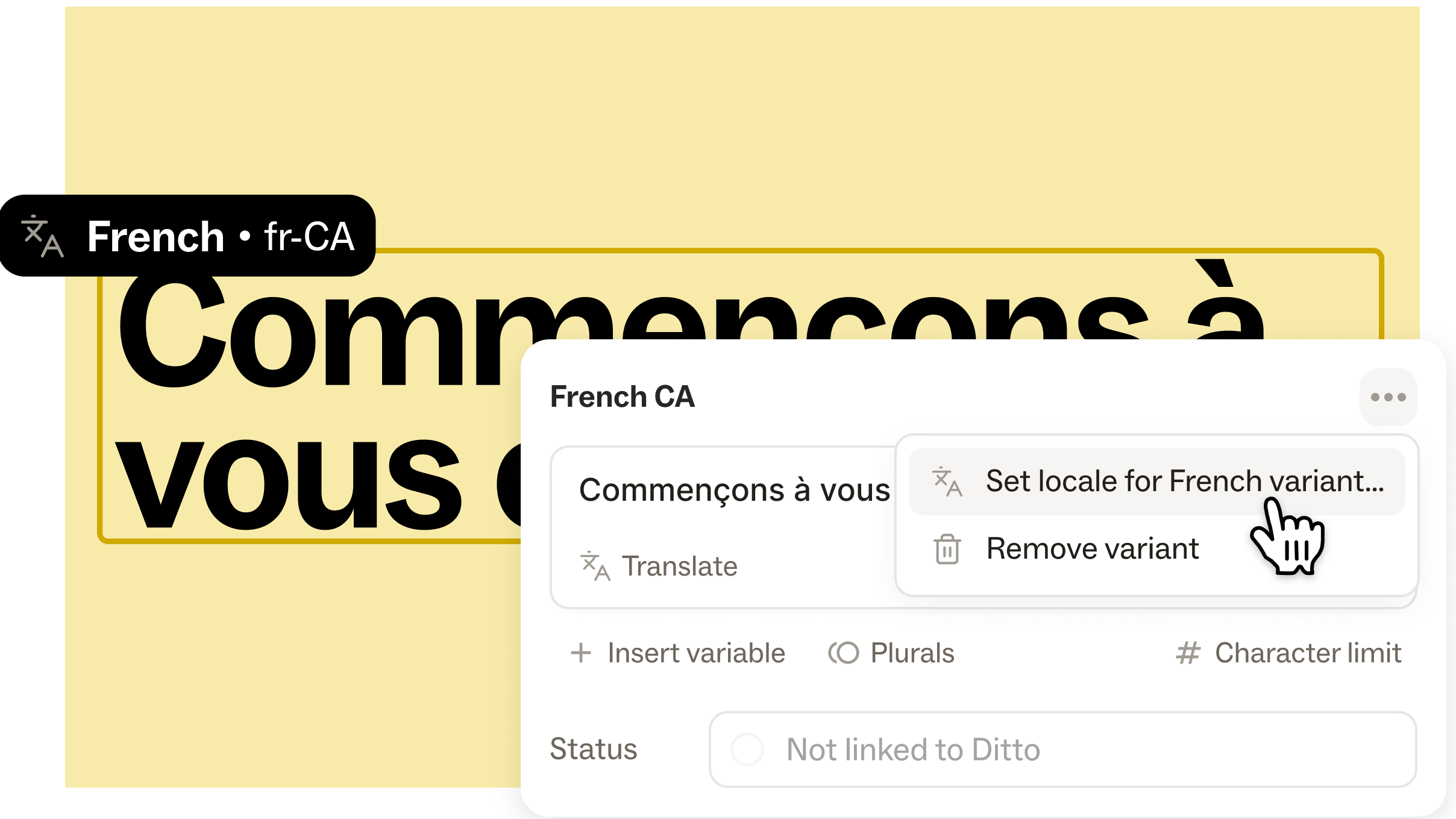
Variants can now be assigned an explicit locale code — a standard identifier like fr, de, ja, or pt-BR. Once a locale is set on a variant, that relationship is locked: one locale, one variant.
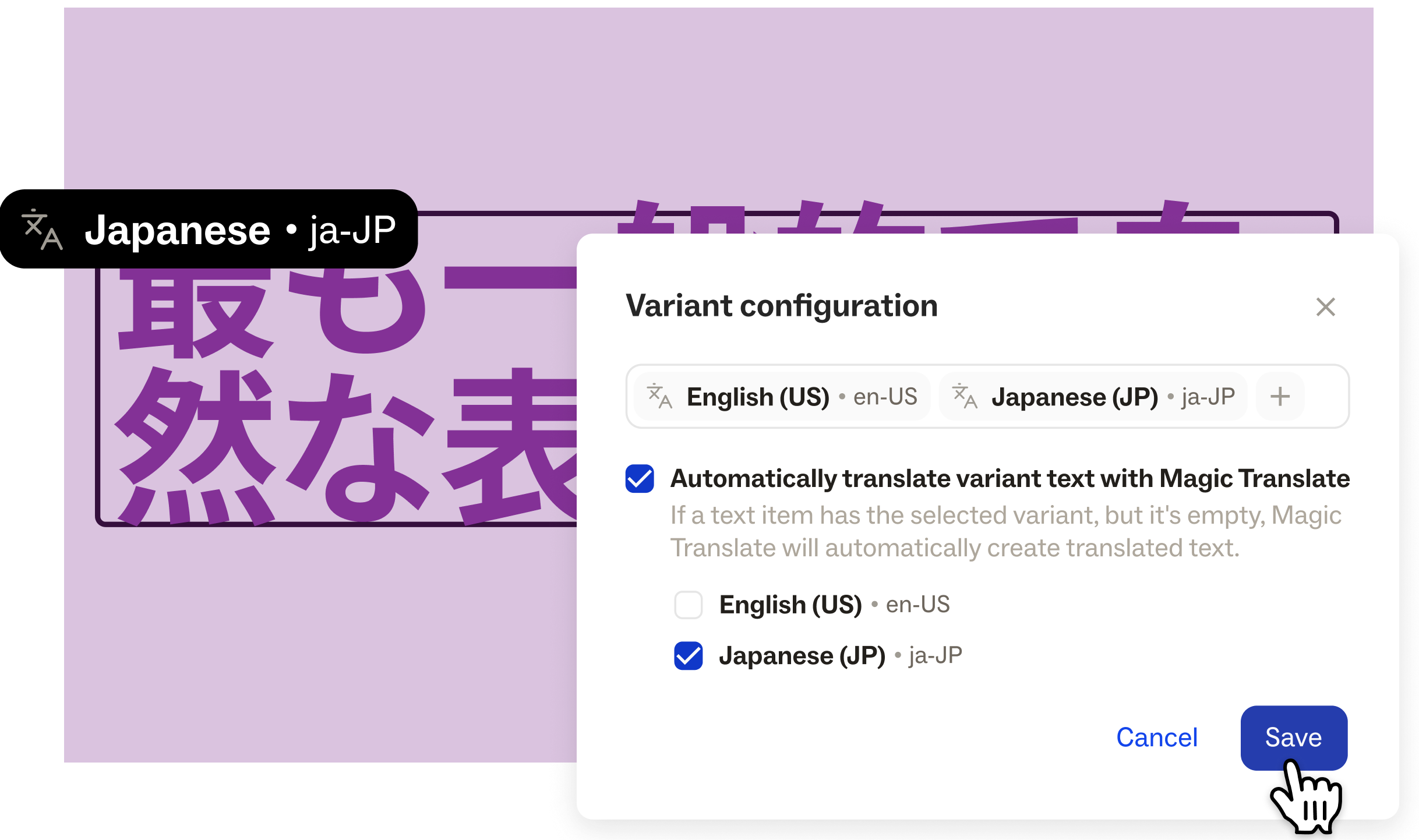
When you name a variant "French" or "German," Ditto will suggest the corresponding locale code. Or, you can also open a full locale list and select one from the full list of supported codes.
Locale codes act as the metadata that unlocks all the new functionality in this release— Magic Translate, style guide enforcement, and cleaner developer integrations.
Magic Translate
With a locale assigned to a variant, Ditto can now generate a translation for you.
Magic Translate takes your base copy, your locale code, and any relevant style guide rules for that locale (see the next section!), and produces a translation draft in-app. Similar to Ditto’s Magic Draft, Magic Translate is context-aware: it knows your product's voice, your approved terminology, and the parameters you’ve set for the copy (like character limits). The draft lands directly in the variant's text field, ready for human review.
AI style guides, customized to locale
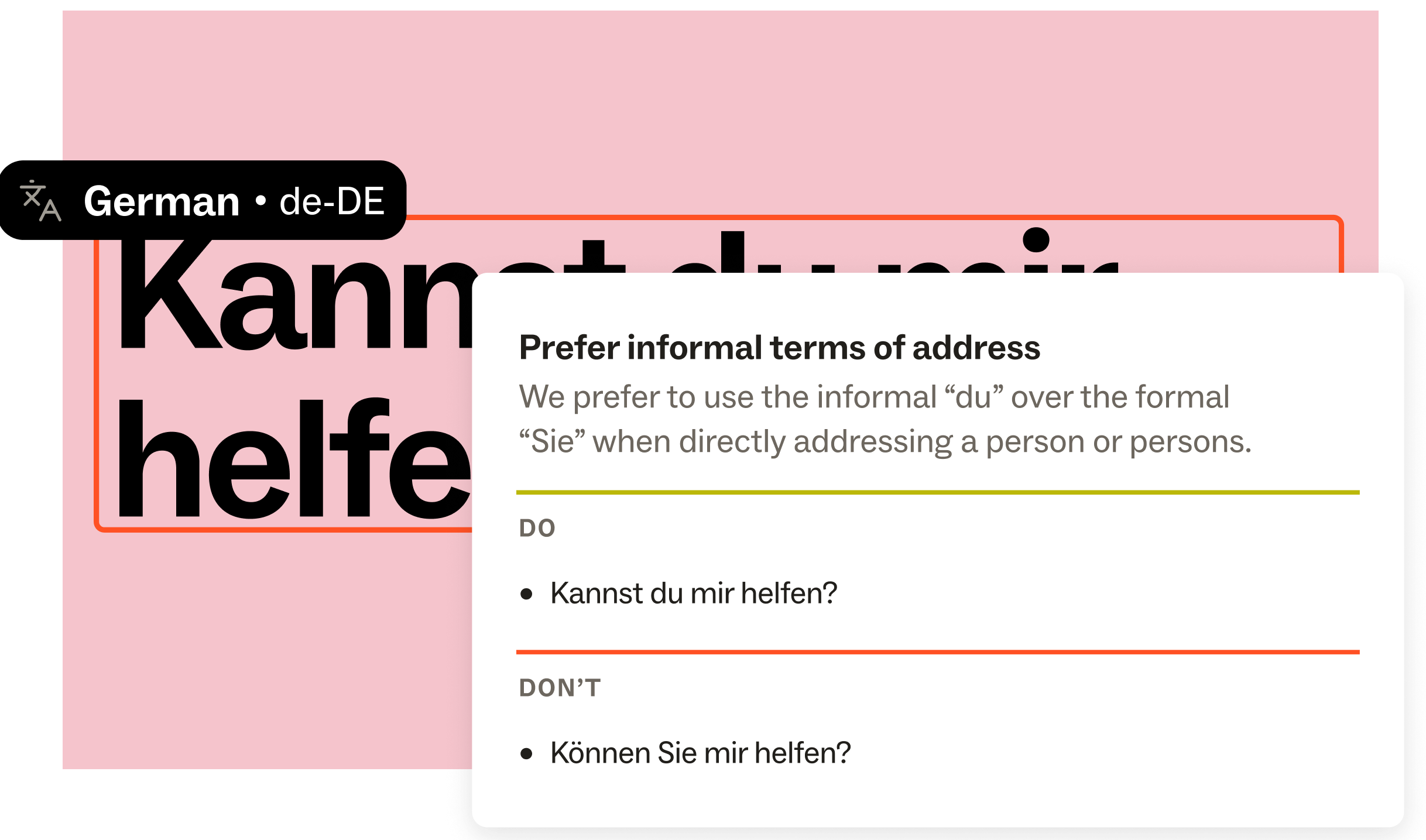
Style guides in Ditto now support locale targeting. You can attach a locale code to an individual rule, or to an entire style guide, so that Magic Edit and Magic Translate know which standards to apply for which languages.
Set rules for things we know vary across locales: Date formats, number conventions, tone of voice, preferred terminology — and let Ditto enforce them. With locale-specific style guides, you can define those standards once and have them enforced automatically, whether a human or an AI tool is drafting the text.
Now, you can create a variant, assign a locale, click Translate, then double check the output against your style guides. Repeat across the project — without ever leaving Ditto or copy-pasting into an external tool.
Bulk variant management
A workflow improvement in this release: You can now easily manage variants at the project level.
Add all — Add a variant to every text item in a project with one click. When you're setting up a new locale, you shouldn't have to touch a hundred strings individually to give translators a place to start.
Project-level and frame-level variant views — Switch your project view to any variant and see all your text through that locale's lens. Review what's been translated, what's still empty, what's in progress. Work through it in bulk.
Auto-translate project settings — Turn on a project setting to automatically translate variant text with Magic Translate. Add a variant to all text in a Ditto project, from project settings. Then, any variant that has a locale can be set to auto-translate any empty variants.
Variant search
One more quality-of-life update: Search in Ditto now works across variant text. If you need to find a specific translated string — to check for consistency, update a term, or confirm a translation landed correctly — you can search within a project or library for any specific variant. The search will surface the variant copy.
How it fits together
With this release, localization can be a native part of your Ditto workflow, supported by the true end-to-end content system that product teams need. Because we’re shipping faster than ever, and that includes shipping to users around the world. And every user deserves a product experience that speaks to them.
A team using Ditto for localization now has a single place where every string lives: base and translated. One integrated system that bring those strings, and content standards, where the work is happening: In Figma, in Claude, in Cursor, or wherever else your team prefers. One system connected into your codebase.
Translation isn't a separate workflow anymore. It's just another section in your content system.
What's next
We're continuing to build toward a complete localization system — including ingesting existing translated strings from external tools, more granular locale targeting, and deeper controls for complex translation hierarchies. This launch is the foundation that makes all of that possible.
Get started with localization in Ditto, or get a custom demo to see how this could work for you.