


Ditto | What's New
What’s New
Global search
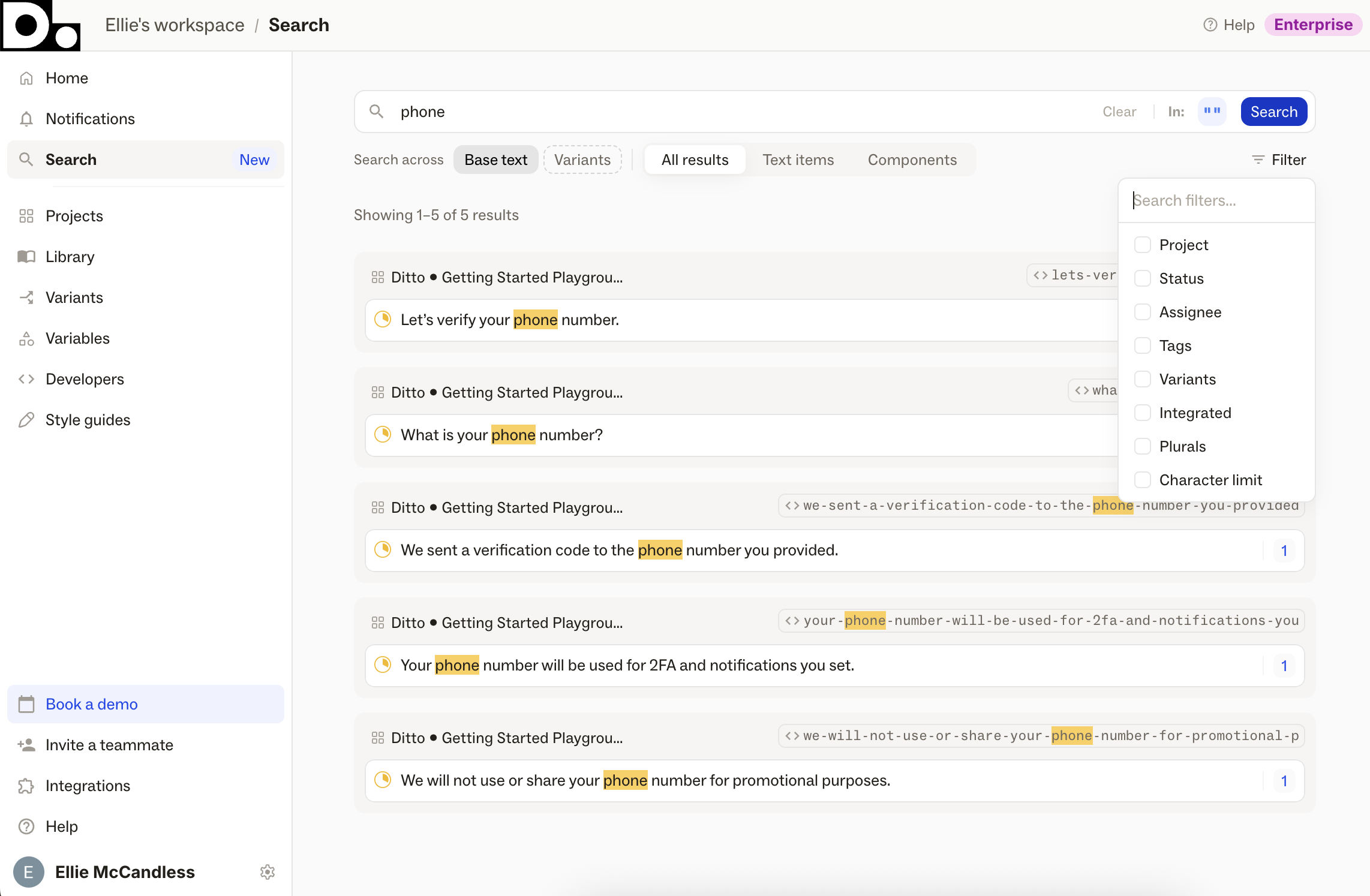
A new dedicated Search page, accessible from the Ditto web app's side nav, for finding text items and library components across your whole workspace.
Search by text value, developer ID, component name, or notes and Ditto will surface related data in your Ditto workspace.
Filter results by project, status, assignee, variant, and tags, or narrow your search scope by Variants, text items, or components.
Clicking a result from the Search page will bring you straight to the matching text item or component.
Style guide analytics

Iterate and refine your AI content system, with built-in analytics and tools to give feedback to AI generation.
Style guide analytics surfaces usage data directly on your style guide rules. For each style guide in your Ditto workspace, you'll see:
- How many checks have run against it
- How many times it triggered a suggestion
- How many of those suggestions were accepted vs. rejected
- An overall acceptance rate percentage
This makes it possible to prove the effectiveness of the system you’ve built, while continuously sharpening it as it’s used.
Suggestion feedback
Suggestion feedback lets you capture the why behind a rejection. For each suggestion Ditto generates, your team can now accept it with a thumbs up or reject it with a thumbs down along with adding a note on why. That feedback accumulates against the rule that triggered it — giving Ditto the raw material to refine guidance, update the context around a rule, or retire a rule that's no longer relevant.
Together, these features close the loop between writing down guidelines, and actually putting a content system to work.
Proactive style guide checks
.png)
Ditto will now proactively surface any time it detects a style guide violation, centralized in the new "Style Guide" tab of the Suggestions page in your Ditto plugin. Don't go hunting for errors; let Ditto find them for you, and work your way through the suggested edits in one central page.
Auto-linking settings
.png)
Manage text item auto-linking from the Ditto plugin, with new linking settings.
1. "Automatically link duplicated text" - Always/Never
This new setting allows you to control "auto-linking" for copy/pasted nodes within your design file. Previously, if you duplicated a text layer in your Figma file, that new text layer would auto-link to the original one, meaning that any edits made to either would apply to both. Now, you can choose "Always" or "Never" for auto-linking functionality in your projects.
2. "Automatically link matching text layers when creating text items" - Always/Never
By default, if you select multiple unlinked Figma text layers with the same text and import them into Ditto together, those matching text layers are combined as a single text item in Ditto. With this new setting, you can choose to turn that off, instead importing each as an individual text item.
These settings can be found in the "General" tab of the main Ditto plugin settings page. They are set at a per user, per project level.
Figma Plugin Performance Mode
.png)
Use new performance mode in Ditto's Figma plugin when working in large design files, to decrease load times and keep the plugin running smoothly.
Whenever Ditto's plugin takes more than 3 seconds to load, it'll recommend toggling on Performance Mode to maintain faster loading times and keep you working.
Performance Mode applies on a per-project, per-user basis.
Workspace Developer ID settings
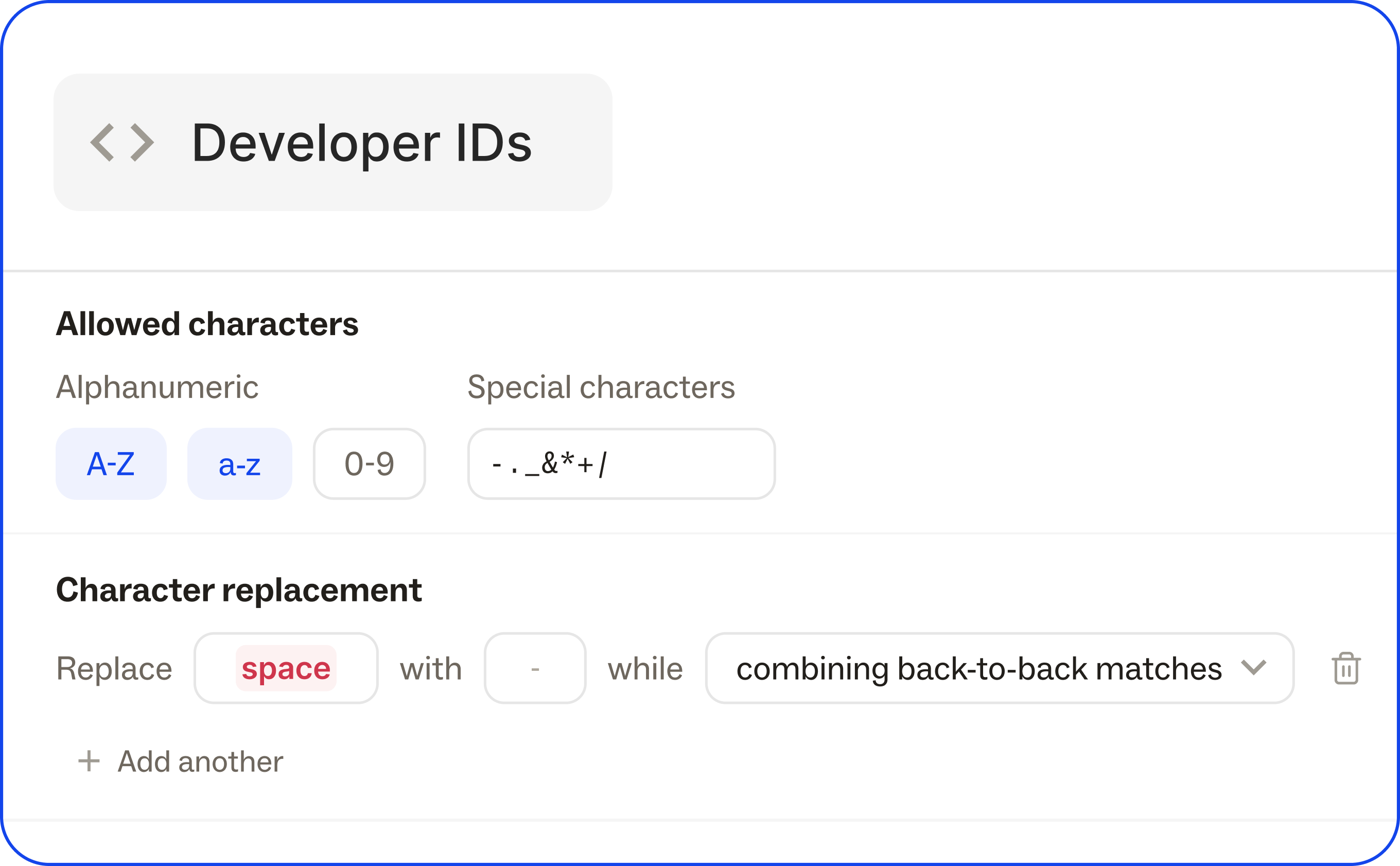
Define how developer IDs are generated across the workspace — separating the format rules from the IDs themselves.
Define Dev ID characters and casing, set up universal character replacements, and set character limits, to enforce consistent ID formats with a system to generate correctly from the start.
Head to the Developers page in the Ditto web app to configure Dev IDs.
Bulk edit Developer IDs
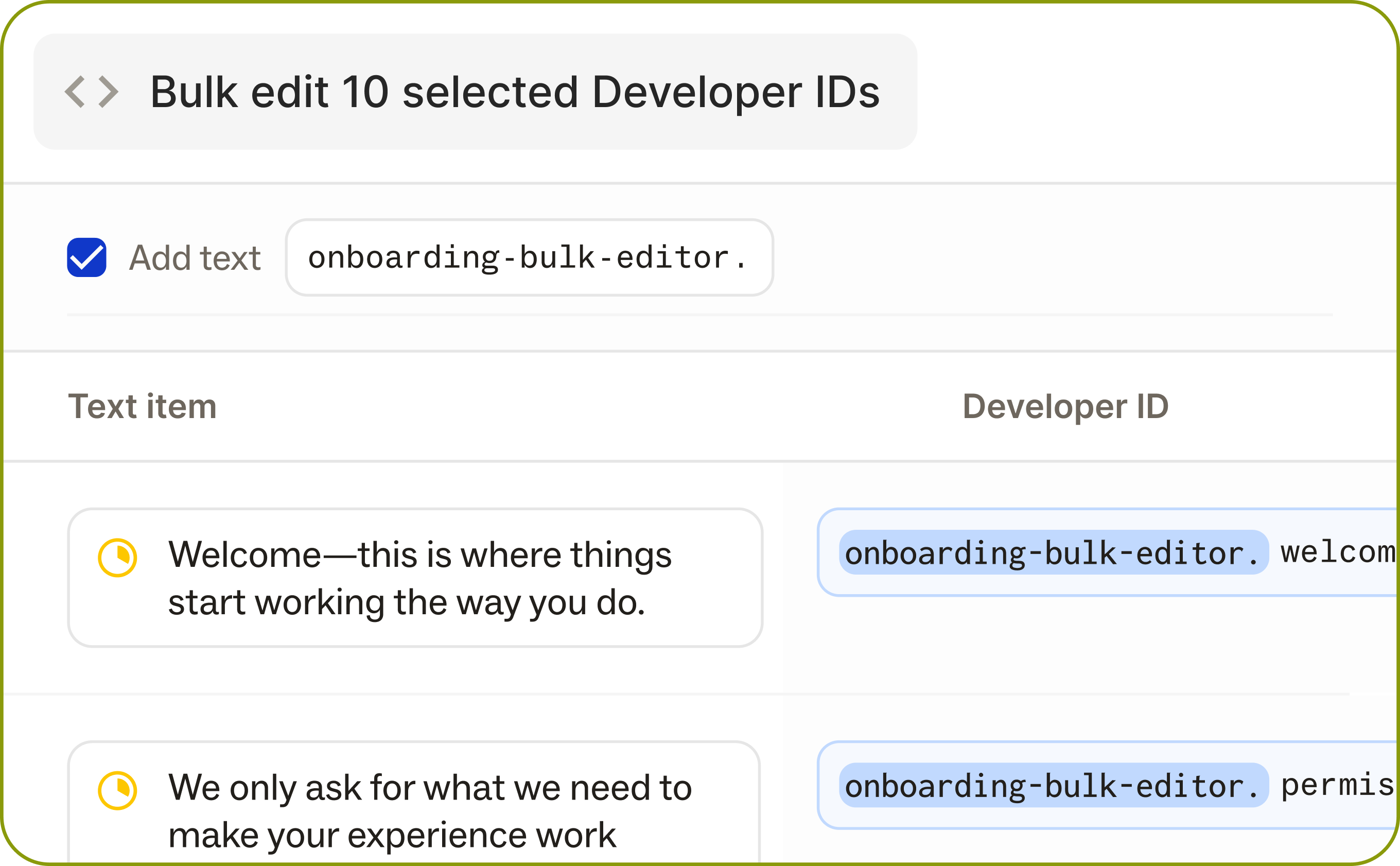
Multi-select text items or library components, and edit developer IDs in bulk with a new UI in the Ditto web app. See multiple Dev IDs from one screen, edit all of them at once with a prefix field entry, set bulk character limits, or add a prefix to all fields.
This makes it easy to work through edits quickly, across project areas or specific features, without being bound by workspace-level configuration.
April Product Updates
API Enhancements
We've been shipping a lot of updates to our API as we've seen teams deepen their integration with Ditto, making product copy workflows more flexible and more connected.
- Filter components and text items by
assignee,tags— Pull filtered content via the CLI using AND/OR tag logic. Makes it much easier to sync only the copy that's relevant to a given surface or team. Pluralsfield added to text items and components- New “Integrated” flag in the API — Run API pulls on only copy that has been toggled to “Integrated”
- Added the ability to fetch text in new formats:
.jsonICU,.jsonVue I18n, iOS.strings,.stringsdict, and.xmlvia the newGET /v2/textItems/exportand GET /v2/textItems/export endpoints
- Filter components and text items by
Filter by Integrated tag
.png)
A month ago, we released a new toggle in your Ditto text items to toggleon an "Integrated" filter, which denotes all the text items you have integrated into development.
Now, you can use search and filter by this "Integrated" tag in the Ditto web app. This makes it easy to manage all the text that's live in your codebase. You can also use this tag in your webhook integrations.
Nested folders

Organize projects into nested folder hierarchies. Create, rename, move, and drag-and-drop folders. Breadcrumbs keep you oriented. Permissions inherit from root folders automatically.
Variant search
When you're viewing a project with a variant selected, search and filters will now match against that variant's text — not the base copy. This should make Ditto’s search functionality much more useful for localization projects.
GitHub PR Review Bot
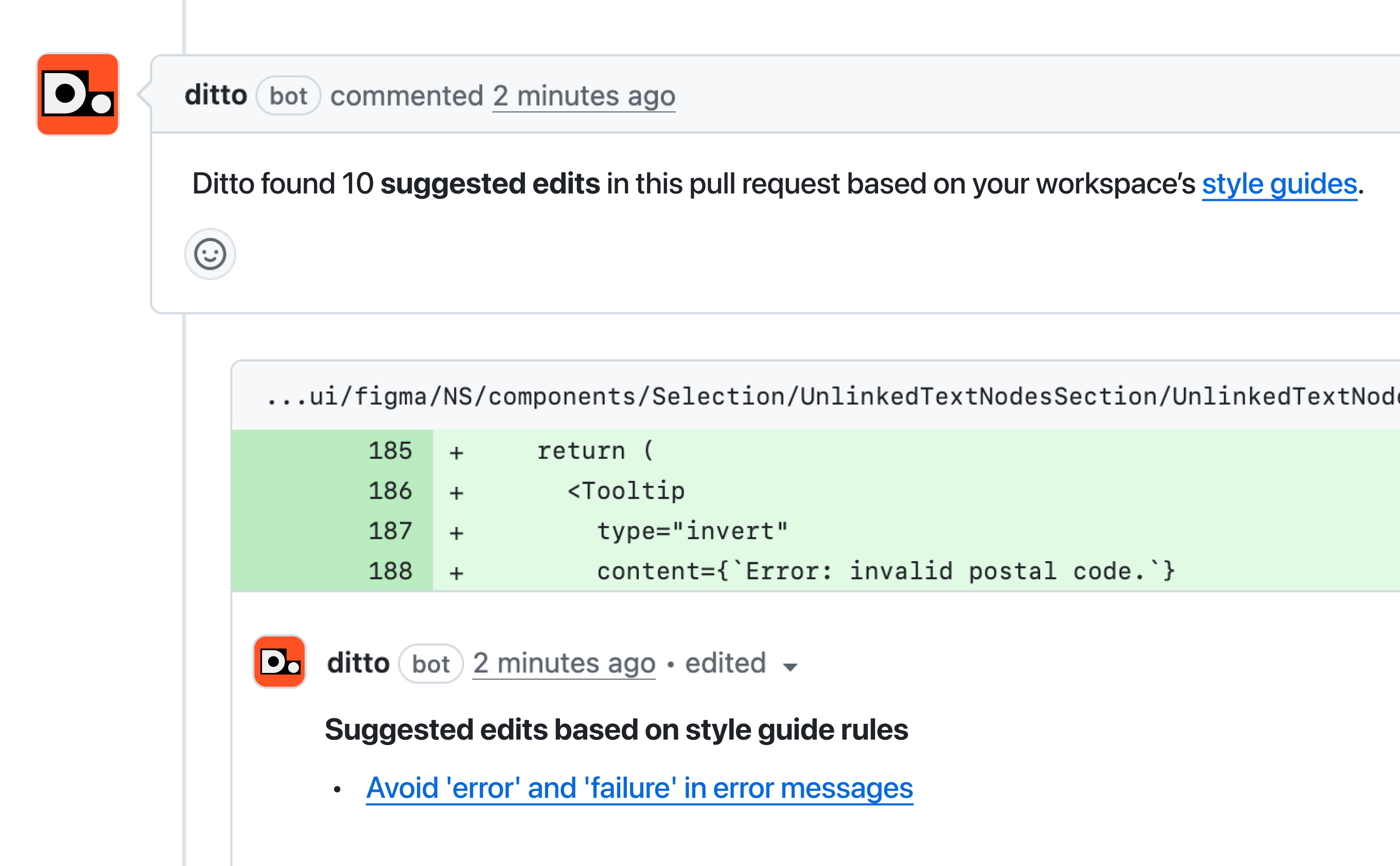
Bring Ditto to your product team’s GitHub repo. Ditto's GitHub PR review bot automatically analyzes user-facing text in new pull requests and suggests editsbefore they ship. Ditto will check strings against your style guide rules, surface existing Ditto library components that should be reused, and post suggestions as a comment directly in the PR.
Accepting the suggestion commits the change directly to the branch.
Bring copy governance to the engineer's workflow — catch inconsistencies and opportunities for reuse, at the exact moment a string is introduced.
Check all selected text against style guide
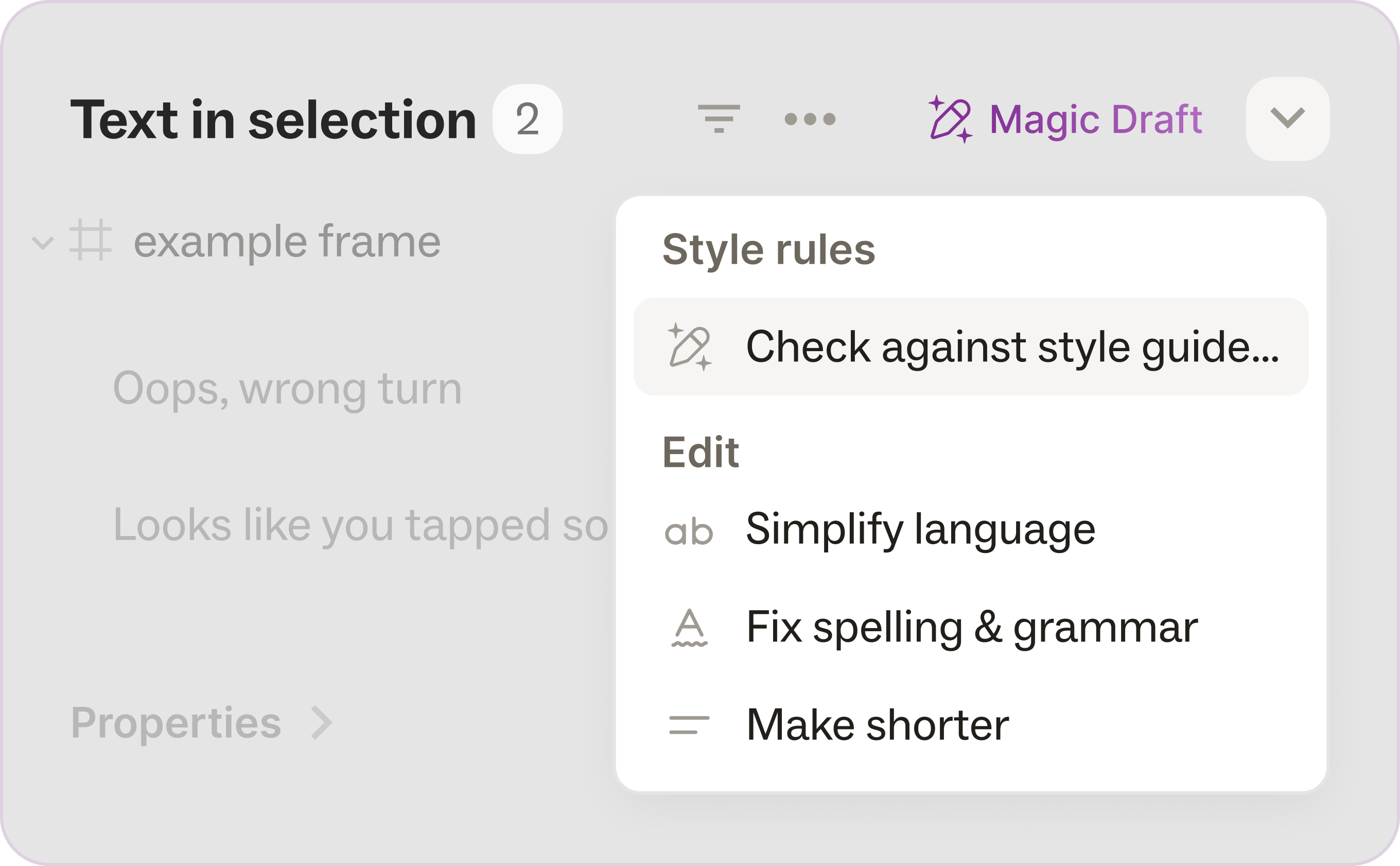
You can now use a "Check against style guide" quick action in Magic Draft for all of the text in your selection in Figma.
It'll surface suggested edits for style guide violations, along with the specific rule applied. Each rule is clickable—tap "View rule" to jump directly to the rule definition in your style guide.
Plus, when selected items already align with your style guide, Magic Draft lets you know—so you can skip the review and move on with confidence.
Reviewers can suggest edits
Users with comment-only access can now submit suggested edits on text items in Ditto. They can switch to suggesting mode, and accept any existing suggestions, but those accepts will stay as a suggestion rather than being directly applied.