


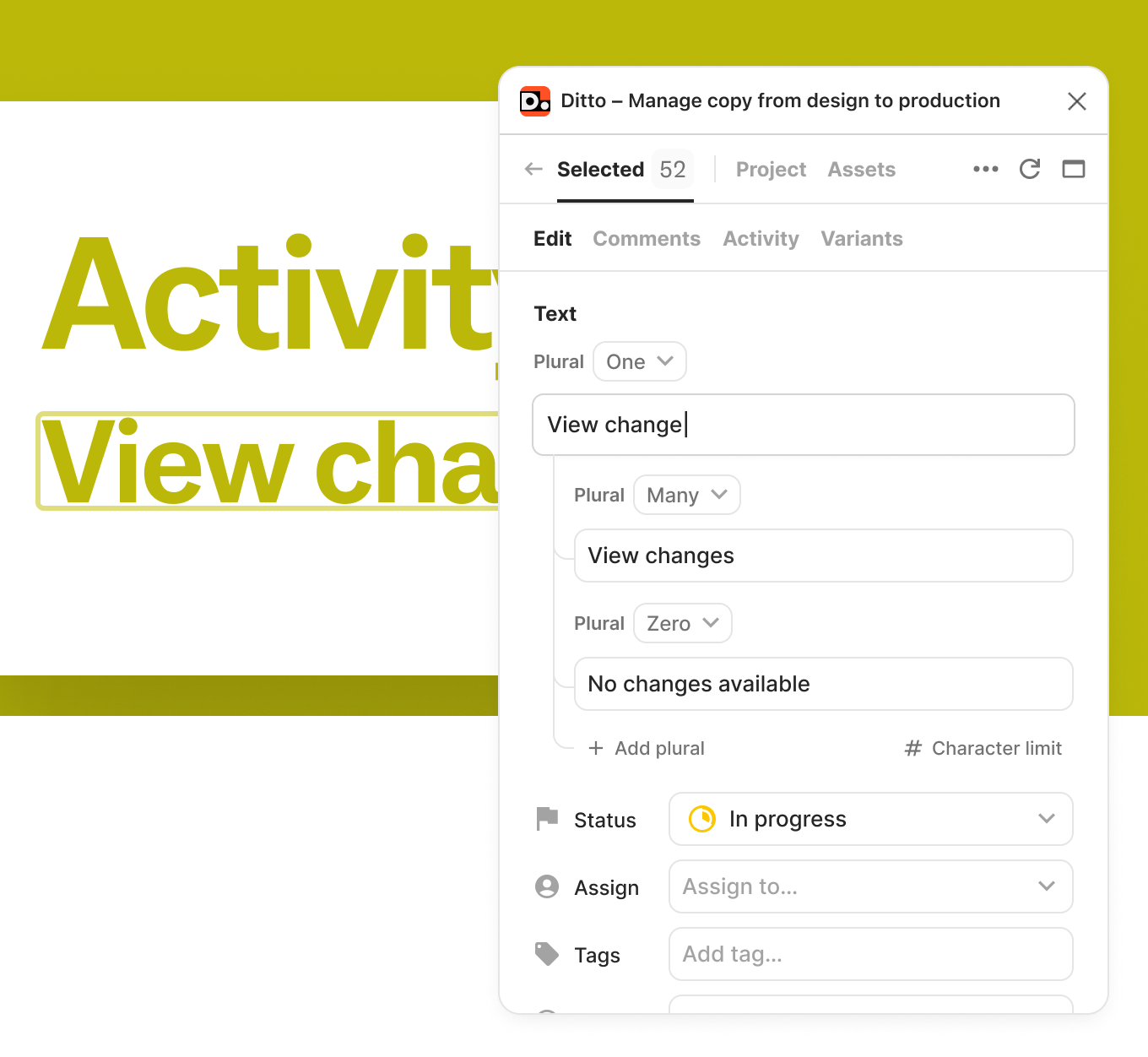
Add, edit, and manage plural forms for your Ditto text items, to make your copy adaptable to different quantities (without creating disconnected text layers). Instead of managing multiple Figma text nodes for copy like "1 item" vs. "3 items," you can now define these variations within a single text item, right in Ditto.
How to use plurals:
Plurals follow standard i18n plural forms (like one, other, few, many).
Keep your design files clean while capturing all copy variations. Your developers will thank you!
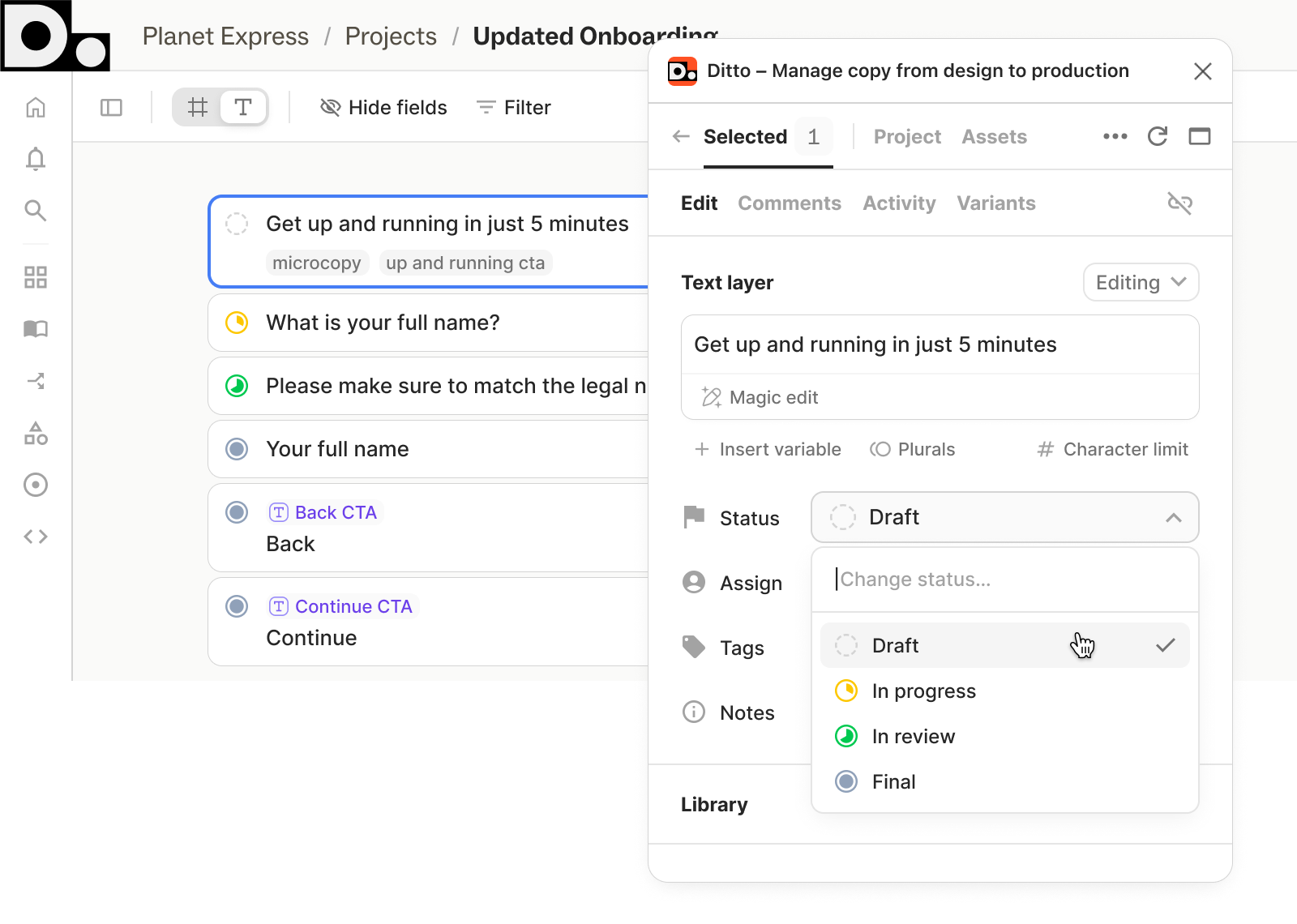
We’ve made some updates to Ditto statuses to make managing the lifecycle of your copy more intuitive. Status labels, icons, and colors are updated to reflect your workflow better and improve visibility across the web app and activity panel.
New progress icons: We’ve replaced the thin colored lines that used to indicate status, now each text item will have distinct icons located directly on the card.
Simplified status labels: We’ve updated our labels to distinguish clearly between work-in-progress copy and unlinked text layers:
Action-oriented colors: We’ve moved away from the traditional stoplight colors. The new palette is designed to draw your eye to copy that needs immediate attention, such as items In Progress or In Review.
Activity panel updates: New labels and icons will now show up in your project’s activity history, making it easier to scan for recent changes.
These UI and label changes don’t affect the statuses used in our API (FINAL, WIP, REVIEW, NONE), so your existing developer integrations will continue to work without interruption.
Learn more about using statuses to manage your team's workflow on our Status Help Center page.
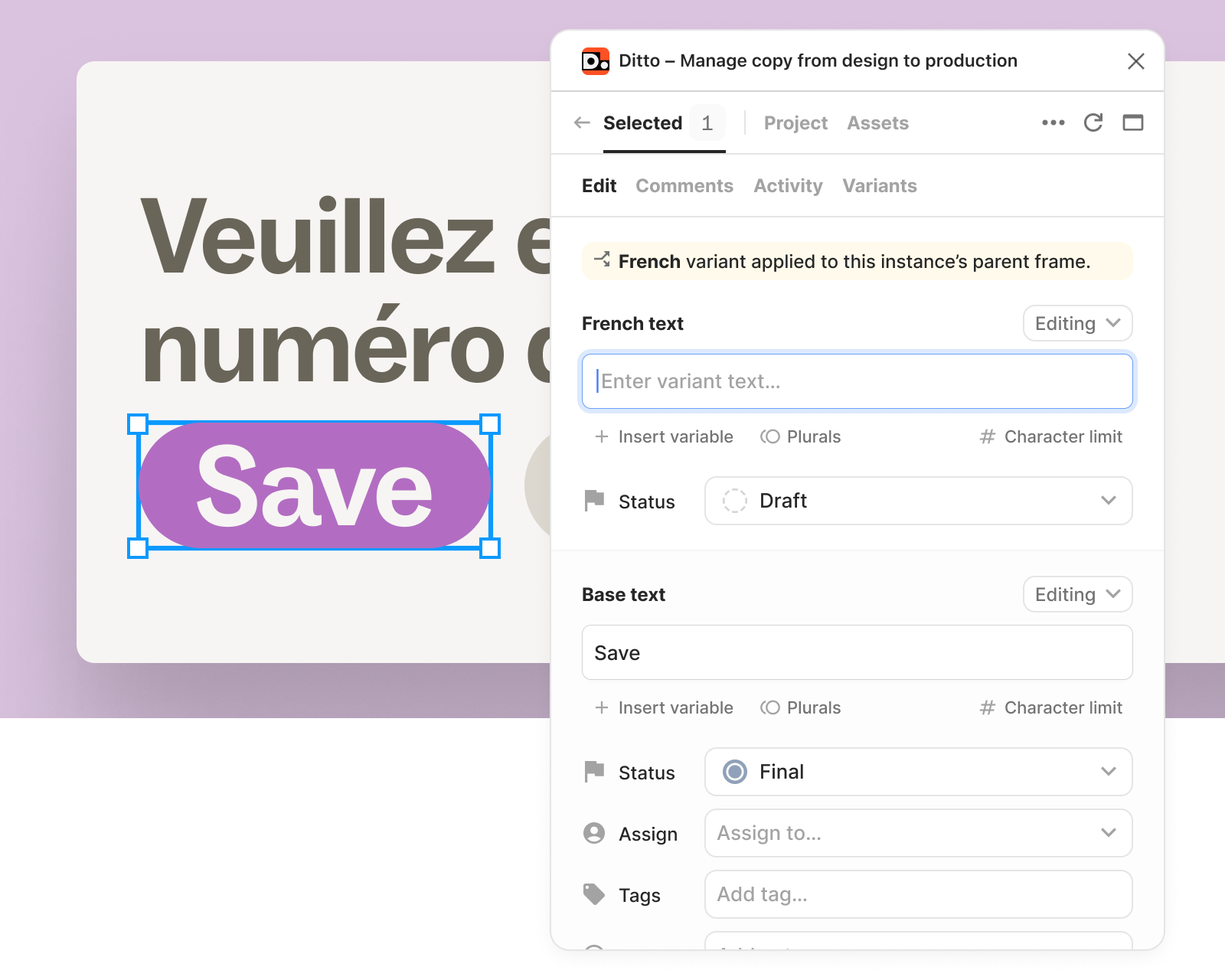
Managing translations just got even easier. Now you can edit and suggest changes to your existing text variants directly in the plugin’s “Edit” tab.
Now, you can work on base text and variants side-by-side, from the Ditto plugin, right inside your design files. Iterate, make quick edits, and review translations in design context, all from Ditto.