


Ditto | What's New
What’s New
Agent actions tracked in activity
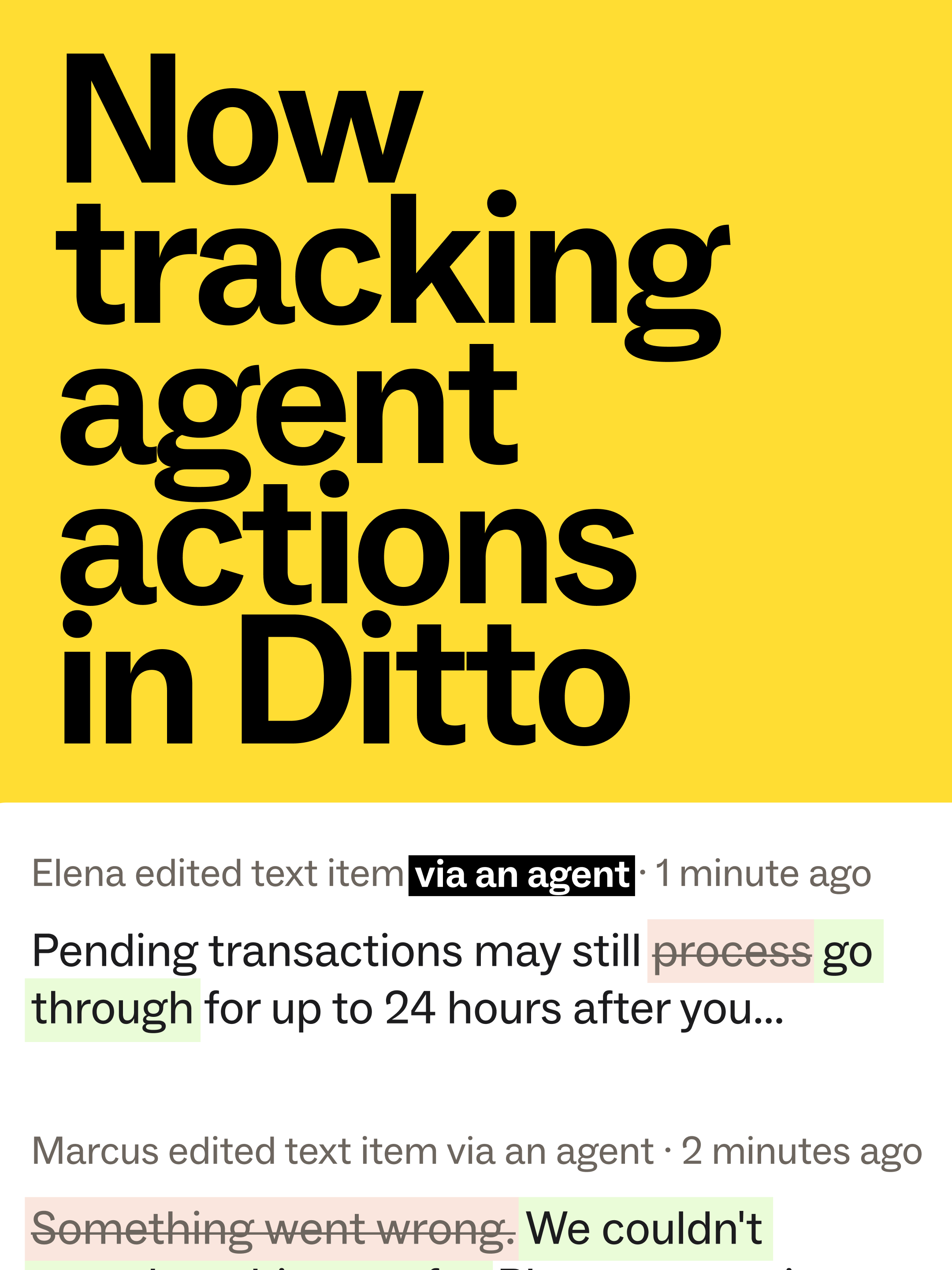
Ditto's running activity log now tracks any edits or other actions taken by a teammate's AI agent. Keep track of changes and revert back to previous versions when needed.
September Product Updates
Here's everything new in Ditto this September.
Expanded Style Guide Analytics. Now live in every workspace: see which rules humans and agents use, what's working, and what needs attention.
It's hard to iterate on and improve a style guide when you can't see how it's used. Reference actual usage data to prove the value of your content system.
Bring data to your style guides.
Get every Ditto AI tool, out of the box. Setting up Ditto in every teammate's agent shouldn't take a checklist. That's why we built the Ditto Agent Package: one plugin installs all of Ditto's AI tools, configurable wherever you're working: Claude Code, Claude Desktop, or Cursor.
You get the Ditto MCP, always-on instructions so your agent checks against your standards in every session, and two built-in commands:
/ditto-reviewchecks your current diff's copy against your style guide/ditto-auditruns the same check across a whole directory
It's the same setup for every teammate, every time.
Set up your AI toolkit in minutes.
Introducing Ditto Specs. Integrate your style guide directly with your design system, in code. With Ditto Specs, a .ditto.md file sits alongside each UI design system component in your codebase and carries the exact standards that apply to specific UI elements like CTAs, error messages, and more.
The rules are already in your agent's context, so it applies them consistently and reliably, every time. Changes to them show up in your PR diff like any other code.
Expanded MCP
With the Ditto MCP, your agent can now do everything you can in the app. It reads your workspace data and writes back as you work, including text items, variants, metadata, style guide rules, and more.
And now, an agent can connect a Figma design file into your Ditto project in minutes — no manual linking required. See how in our Help Center. Discover what the MCP can do.
GitHub Review Bot
Did you know that Ditto can run reviews on every PR in GitHub? Now, Ditto's GitHub review bot keeps one summary comment on your PR that updates with each round of reviews.
Configurable AI Settings
Choose which AI capabilities run in your Ditto Workspace. Magic Translate and Magic Draft now have their own workspace settings controls, so you can configure each AI capability independently.
Figma Branching Support
Branch a Figma file and keep every text item and component linked automatically. Variants, conflict reconciliation, and auto-linking all carry over into the branch.
SSO login
Use SSO to log into Ditto's MCP, API, and CLI. SAML-only teams can now authenticate agentic workflows without an API token.
- Rich text support in the Public API —
PATCH/POSTon text items and components now accept bold, italic, underline, strikethrough, and line breaks via an HTML flag - New export formats: ARB file support, plus Android locale-directory output with configurable paths for mono-repo teams
- OAuth login for the CLI —
npx @dittowords/cli login, no more API keys to manage - Deep-linkable library components, built straight from public API data using Developer IDs
- Figma Dev Mode codegen for North Star projects (Android, iOS, and Ditto React SDK)
- One-click Developer ID regeneration
- Bulk multi-select linking for layers
- Tab-to-autofill in variant editors
- Real-time updates when projects are created or deleted
- CSV exports that reliably keep their
.csvextension - Shareable Figma tokens across a workspace
- Ditto Scan now requires a clean checkout of the default branch, to avoid false "changed" reports
- Email notifications once Ditto Scan has been completed
- Rich text support in the Public API —
Agent usage in style guide analytics
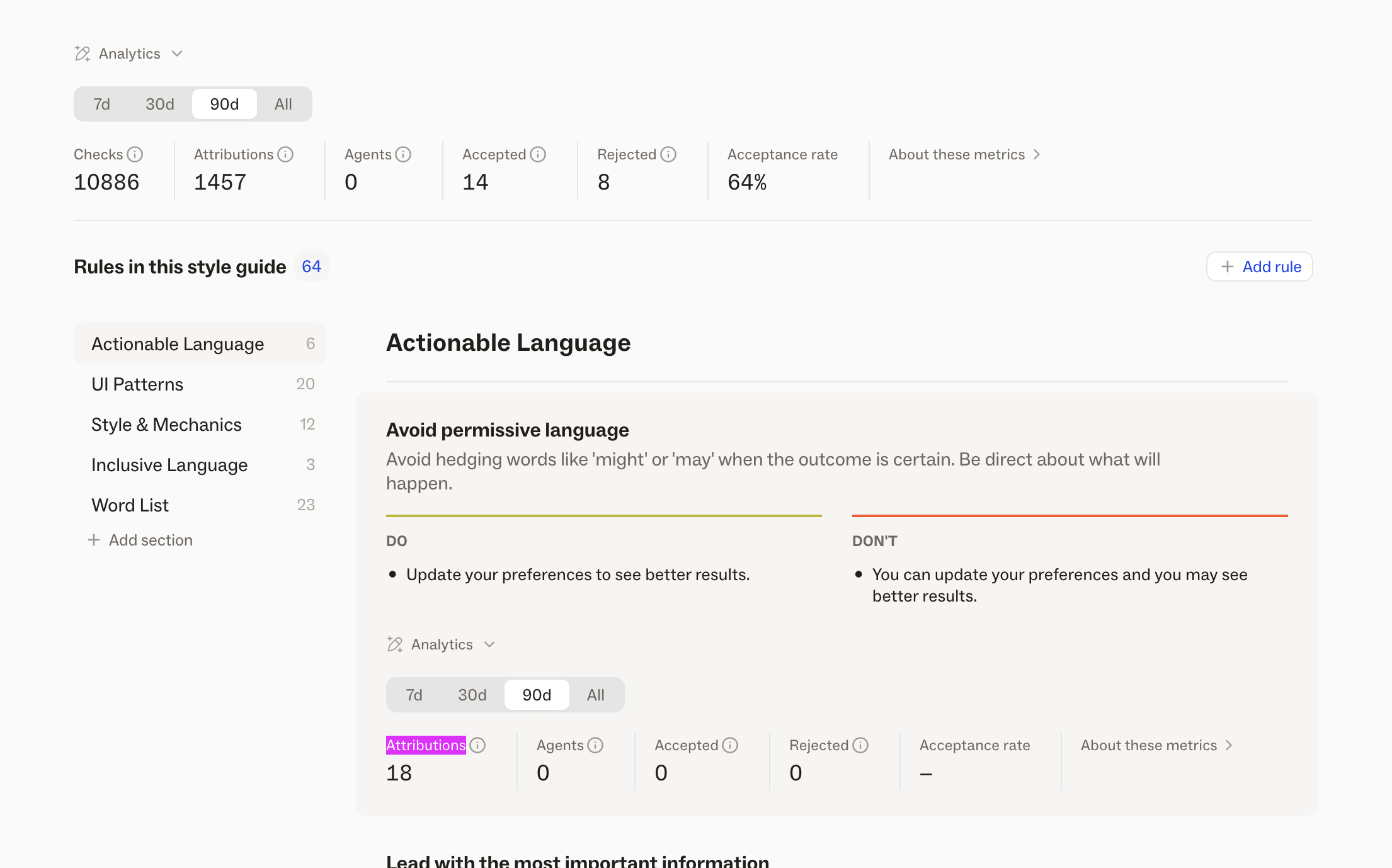
Style guide analytics now tracks agent usage alongside human usage — every time an agent pulls a rule through Ditto MCP to draft or check copy, it's counted right alongside your team's activity. And every metric you already had at the style guide level (checks, triggers, acceptance rate) is now tracked at the individual rule level too, so you can see exactly which rules are working and which ones need attention.
Live now in every Ditto workspace — log in to check it out.
Expanded MCP
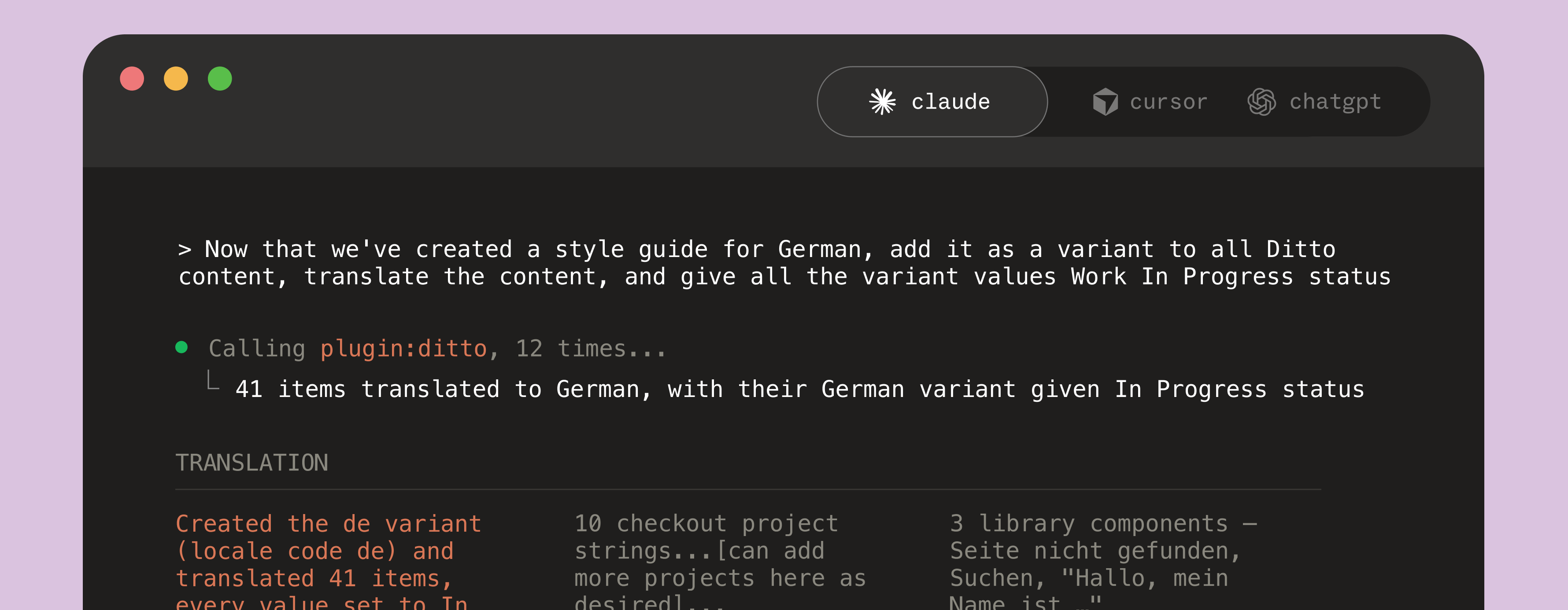
We've massively expanded what you can do via the Ditto MCP, to make working alongside and inside Ditto even easier, from your AI tool of choice.
An agent connected to Ditto MCP can now:
- Create a new Ditto project
- Create, edit, and delete text items
- Create and edit your copy library
- Create, edit, and delete variants
- Search anything in your workspace — text value, language, dev ID, status, assignee, whatever you need
- Create, edit, and delete folders and text item blocks
- Run reviews and suggest edits on existing text
- Pull in existing style guide rules, or create, edit, and delete new ones
- List out all new notifications
No matter who — or who’s agent — takes one of those actions, it shows up in Ditto's running activity log. Every action tied a teammate, or a teammate’s agent.
Get started from Ditto’s developer documentation.
AI context for workspaces and projects
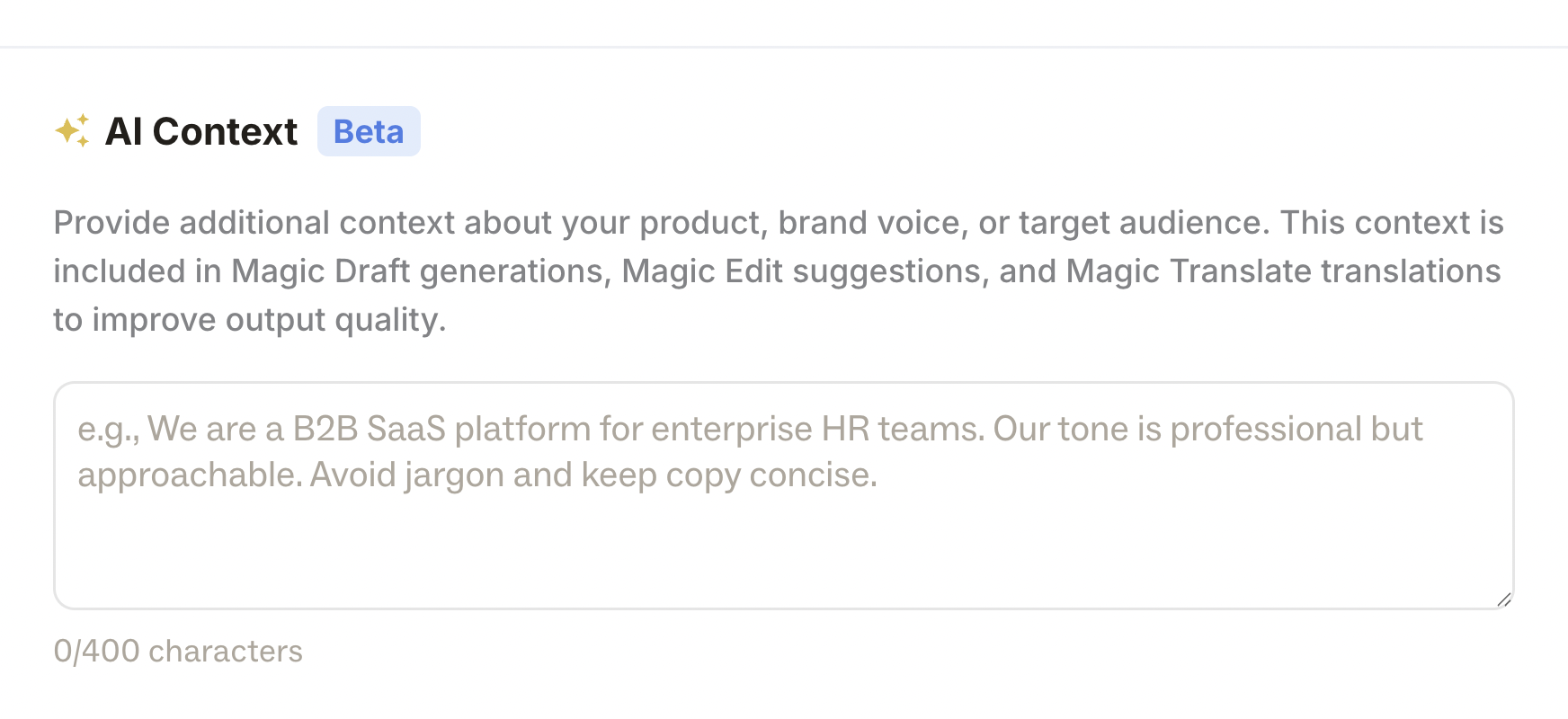
Add workspace & project context to improve Ditto's AI outputs: Magic Draft, Magic Edit, and Magic Translate. Adding this additional context means your Ditto AI tools can deliver even more precision, from the start.
Style guide rules take precedence over project context, which takes precedence over workspace context.
Define workspace-level context in workspace settings > AI menu. Add project-level context in the “AI context” modal of the project menu.
Translation quality scoring
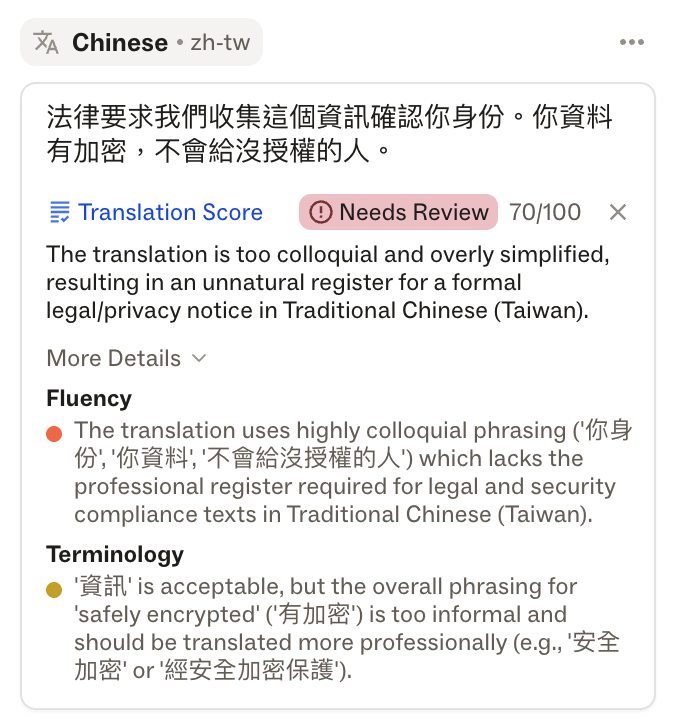
Use Ditto's Magic Translate to check the quality of your translated text items directly in Ditto. Catch issues earlier and streamline localization review, without leaving your workflow.
Translated text is evaluated on 5 different scales:
- accuracy
- fluency
- terminology
- locale conventions
- structural integrity
By evaluating each of these components, Ditto will provide a translation score, out of 100, for the copy in its specific context. If you've configured language-specific style guide rules, Ditto's AI score will take those rules into account, and treat them as the authority, when scoring the translation.
Slack integration
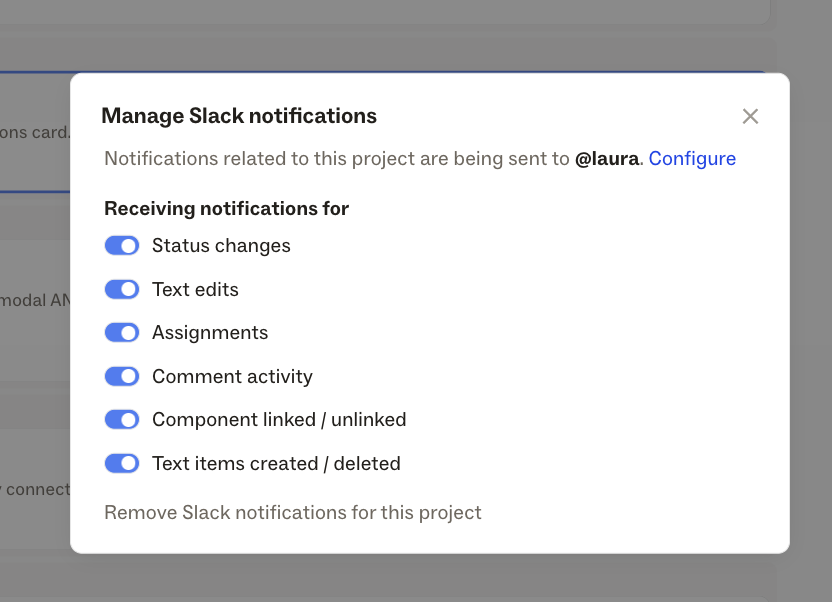
Send Ditto activity into your team's Slack workspace so you never miss an update.
Configure Slack notifications for edits within an individual project, or edits made to your Ditto Library. Get notifications for: Text edits, Status changes, Assignments, Comments, Linking, and Creating/Deleting.
Note: You'll need admin permissions to connect Ditto + Slack, but anyone with Editor access can turn on Slack notification for projects or for your Ditto Library.
June Product Releases

Iterate and refine your AI content system, with built-in analytics and tools to give feedback to AI generation.
Style guide analytics surfaces usage data directly on your style guide rules. For each style guide in your Ditto workspace, you'll see:
- How many checks have run against it
- How many times it triggered a suggestion
- How many of those suggestions were accepted vs. rejected
- An overall acceptance rate percentage
This makes it possible to prove the effectiveness of the system you’ve built, while continuously sharpening it as it’s used.
Suggestion feedback lets you capture the why behind a rejection. For each suggestion Ditto generates, your team can now accept it with a thumbs up or reject it with a thumbs down along with adding a note on why. That feedback accumulates against the rule that triggered it — giving Ditto the raw material to refine guidance, update the context around a rule, or retire a rule that's no longer relevant.
Together, these features close the loop between writing down guidelines, and actually putting a content system to work.
Export specific selection: You can now export the current selection from the web app with the same options as the full project export. This supports both text item selections and block selections.
Configure a
baseLocaleat the project and library level- In the existing
Variant & locale settingsconfiguration, in the top right menu of project and library pages, you can now set the base locale for project and library independently - You will see a new badge at the top of the project or library page, to indicate the
baseLocale - All AI translations and style guide rules will reference the
baseLocale
Search Improvements
- Search results are now always filtered by relevance, in projects and in your Ditto Library
- New sorting options for text items and library components (Manual, A–Z/Z–A, Created, Edited)
- Improved support for imperfect queries and symbols in search results
- In the existing
Ditto Scan
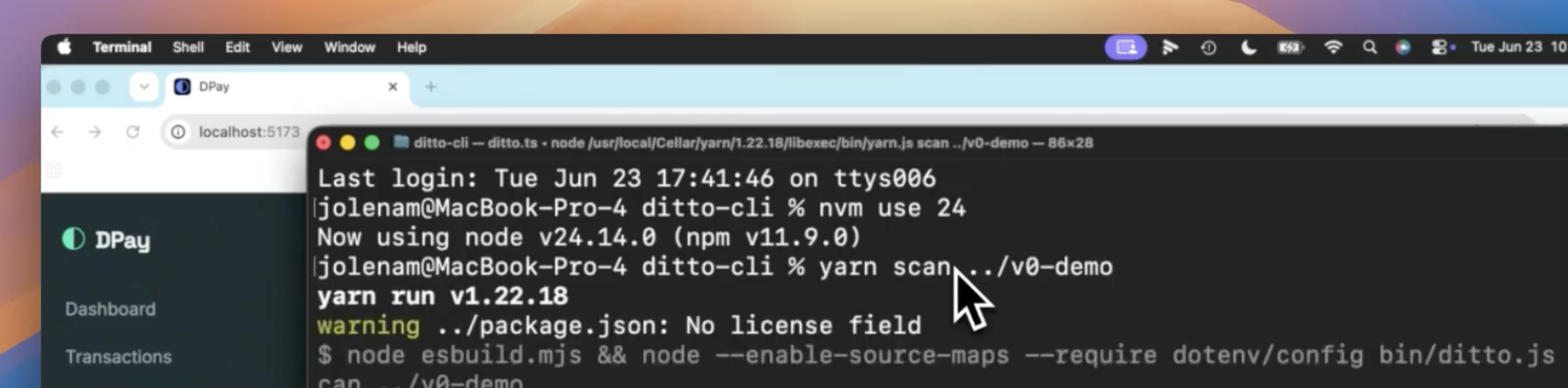
Ditto Scan is a new CLI command that scans your codebase, identifies your user-facing strings, and sets up your content system for you — automatically, based on what's already in production.
Run a new Ditto CLI command in your codebase. Continue setup in the Ditto web app. In moments, Ditto has extracted strings, metadata, translations, and content style standards based on what made it to production. You can review these extractions to assemble a working V1 of your content system: a component library, style guides, translation management, and the metadata infrastructure to keep it all connected.
Ditto Specs
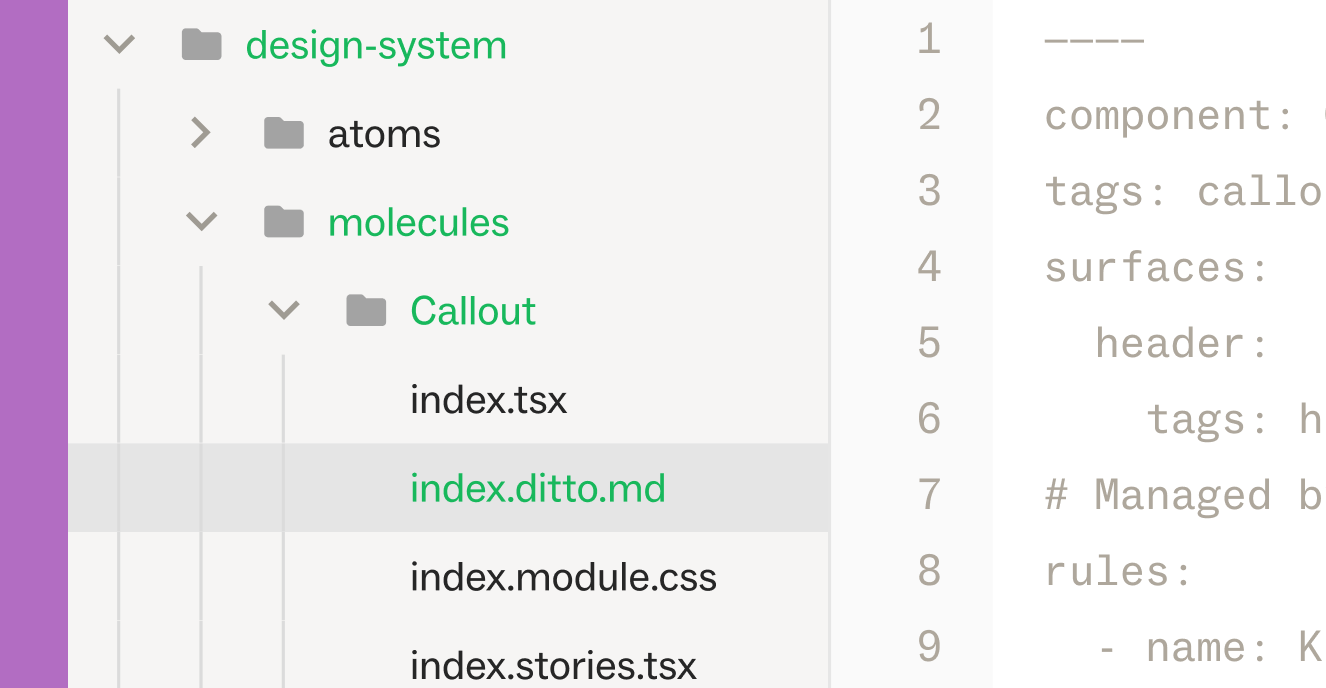
Ditto Specs are .ditto.md files that live in your codebase alongside your components. Each one declares the text surfaces a component renders — the specific pieces of user-facing copy like a headline, a button label, helper text, a tooltip — and carries the style guide rules that apply to those surfaces, synced from the Ditto platform.
Specs work at every level of your codebase.
- A
workspace.ditto.mdat the repo root sets the floor: universal voice, tone, and brand rules that apply everywhere. - Component-level specs layer on specifics. An agent working on a deeply nested UI component references the right rules for the specific surface it's touching.
Strikethrough in rich text
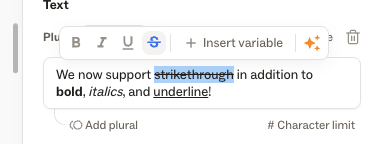
We now support strikethrough rich text within Ditto! Add strikethrough text to a Ditto text item, along with bold, italicized, and underlined text.
Global search
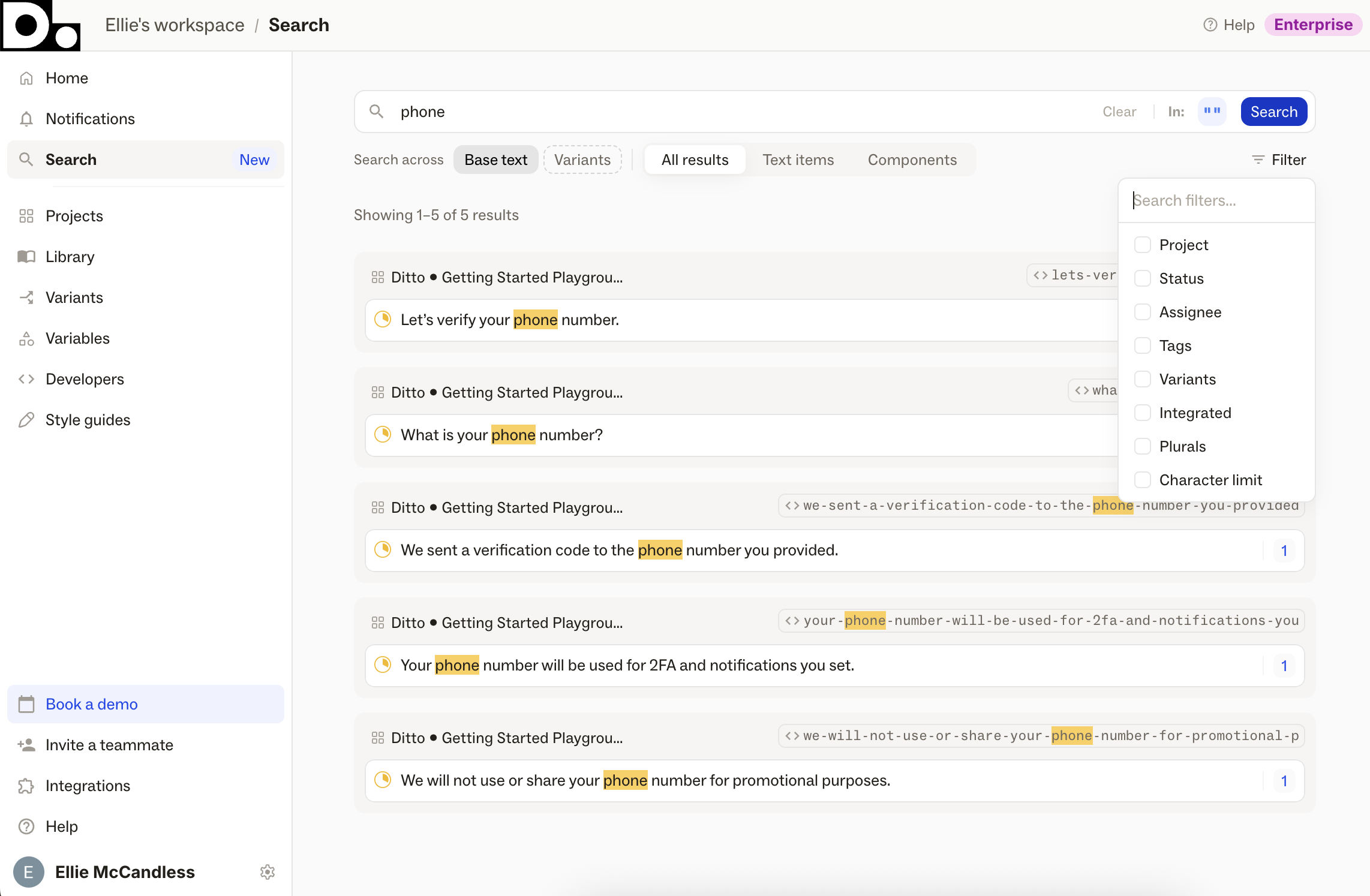
A new dedicated Search page, accessible from the Ditto web app's side nav, for finding text items and library components across your whole workspace.
Search by text value, developer ID, component name, or notes and Ditto will surface related data in your Ditto workspace.
Filter results by project, status, assignee, variant, and tags, or narrow your search scope by Variants, text items, or components.
Clicking a result from the Search page will bring you straight to the matching text item or component.
Proactive style guide checks
.png)
Ditto will now proactively surface any time it detects a style guide violation, centralized in the new "Style Guide" tab of the Suggestions page in your Ditto plugin. Don't go hunting for errors; let Ditto find them for you, and work your way through the suggested edits in one central page.
Auto-linking settings
.png)
Manage text item auto-linking from the Ditto plugin, with new linking settings.
1. "Automatically link duplicated text" - Always/Never
This new setting allows you to control "auto-linking" for copy/pasted nodes within your design file. Previously, if you duplicated a text layer in your Figma file, that new text layer would auto-link to the original one, meaning that any edits made to either would apply to both. Now, you can choose "Always" or "Never" for auto-linking functionality in your projects.
2. "Automatically link matching text layers when creating text items" - Always/Never
By default, if you select multiple unlinked Figma text layers with the same text and import them into Ditto together, those matching text layers are combined as a single text item in Ditto. With this new setting, you can choose to turn that off, instead importing each as an individual text item.
These settings can be found in the "General" tab of the main Ditto plugin settings page. They are set at a per user, per project level.
Figma Plugin Performance Mode
.png)
Use new performance mode in Ditto's Figma plugin when working in large design files, to decrease load times and keep the plugin running smoothly.
Whenever Ditto's plugin takes more than 3 seconds to load, it'll recommend toggling on Performance Mode to maintain faster loading times and keep you working.
Performance Mode applies on a per-project, per-user basis.